Announcements

  1. Introducing Restricted Users

    New Feature

    We’re excited to introduce Restricted Users! A powerful new way to securely extend learning access beyond your organisation.

    Whether you’re onboarding contractors, working with third parties, or delivering compliance training externally, Restricted Users make it simple to give access only where it’s needed and nowhere else.

    What are Restricted Users?

    Restricted Users are a new role in SuperPath designed for people who only need access to their assigned learnings.

    They can:

    • View and complete assigned learning content

    • Receive notifications for due dates and new assignments

    They cannot:

    • Access the wider platform

    • View other users or organisational data

    • Navigate beyond their assigned learning

    Built for external access (without the risk)

    This feature is perfect for:

    • External contractors

    • Consultants and freelancers

    • Compliance training for third parties

    • Partner or vendor enablement

    You can now confidently invite non-employees into SuperPath, knowing their experience is completely locked down.

    How it works

    When adding or inviting a user, simply select the new Restricted role.

    From there:

    • Assign them learning content or pathways

    • They’ll receive access to only that content

    • Their experience is fully focused — no sidebar, no distractions

    Admin view: adding a Restricted User

    image

    Restricted User view: simplified learning-only interface

    image

    It’s a small change with a big impact — giving you more flexibility in how you deliver learning.

    Check out our Help Centre Documentation for more details of this and other roles

  2. A fresh look for images in SuperPath

    Improvement

    We’ve just rolled out one of our most impactful visual upgrades yet, a complete overhaul of how images work across SuperPath.

    This has been a long time coming! Previously, inconsistent image ratios made it difficult to create content that looked polished and cohesive. Now, we’ve introduced a standardised (but flexible) system that makes everything feel cleaner, more predictable, and far easier to design.

    📐 Purpose-built image ratios

    Images are now optimised based on where they’re used:

    • Content library covers → 16:9

    • Section covers → 24:5 (wide format)

    This means every image is designed for its specific context, no more forcing one size to fit everything.

    The result:

    • Better composition

    • More professional layouts

    • Less guesswork when creating content

    image

    📱 Images that adapt to your screen

    One of the biggest improvements: images are no longer locked to fixed heights. They now expand and scale dynamically with the browser.

    Why this matters:

    • Your images always display as intended

    • Important content stays visible

    • A much better experience across devices and screen sizes

    👀 Live preview when selecting images

    When choosing images from Unsplash or your images library, you’ll now see them in the correct ratio before saving.

    You can also:

    • Adjust image positioning (top, centre, bottom)

    • Instantly preview how it will appear

    No more trial and error, what you see is what you get.

    🧩 Thumbnails for better browsing

    We’ve introduced dedicated thumbnails for content shown in lists and pathways. Well technically this was released a few months back, but it's worth mentioning again!

    • Thumbnail → Used in cards and lists

    • Cover → Used across the main experience

    This gives you more control over how your content is presented at every level.

    🌐 Consistency across the platform

    This upgrade applies everywhere images appear:

    • Library content

    • Pathways

    • Sections

    • Text steps

    • Knowledge articles

    • Events

    Everything now follows a clear, consistent system.

    image

    📖 Updated image guidelines

    We’ve also updated our image sizing guide with the latest ratios and recommendations to help you get the most out of this upgrade.

  3. Notify the Right People, Every Time

    New Feature

    We’ve just launched one of our most requested features: Learning Completion Notifications

    Now, you can customise exactly who gets notified when a learner completes their training. giving you more control, better visibility, and stronger alignment across your team.

    🔍 What’s new?

    Until now, only the person who assigned the learning would be notified on completion.

    That works for smaller teams but as you grow, you need more flexibility.

    With this update, you can now:

    • Notify a learner’s manager

    • Notify specific individuals (e.g. instructors, compliance teams, stakeholders)

    • Apply this to both individual assignments and learning pathways

    ⚙️ How it works

    For individual assignments

    When assigning any content (courses, documents, forms, or events):

    • Open Advanced settings

    • Select who should be notified on completion

    For learning pathways

    Set default notifications directly in your pathway:

    • Go to Pathway Settings

    • Configure who gets notified

    • Republish to apply changes

    image

    💥 Why this matters

    This feature unlocks a whole new level of visibility and control:

    • ✅ Keep managers in the loop automatically

    • ✅ Ensure compliance teams are notified instantly

    • ✅ Support instructor-led programs with real-time updates

    • ✅ Scale your learning operations without extra admin

    No more chasing updates or manually tracking completions, the right people are notified instantly.

  4. Automate Career Growth with Roadmaps in Workflows

    New Feature

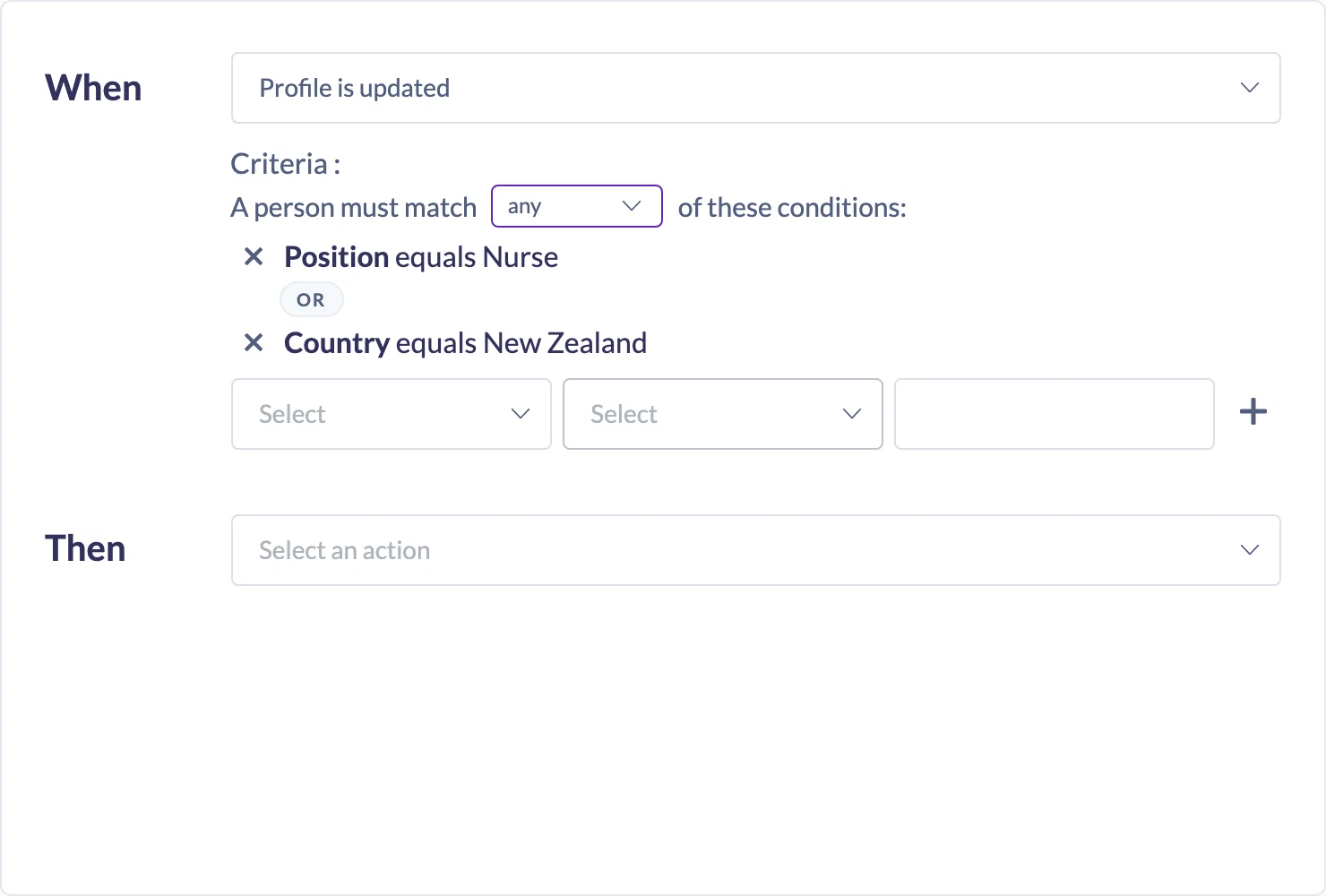
    We’re excited to introduce a powerful upgrade to SuperPath’s Workflows engine, you can now include Roadmaps as triggers and actions.

    This means you can automatically assign, update, and chain career roadmaps based on what’s happening in your organisation — no manual intervention required.

    🎯 What’s new?

    You can now:

    • Assign roadmaps automatically when someone joins your organisation
    • Update roadmaps when a user’s role changes
    • Trigger actions when a roadmap is completed
    • Chain multiple roadmaps together to create continuous learning journeys

    ⚡ Why this matters

    SuperPath is designed to take the management out of learning. With this update, you can:

    • Save hours of admin time with “set and forget” automation
    • Ensure every team member is on the right learning path instantly
    • Adapt learning as roles evolve without manual updates
    • Create seamless career progression pathways

    🧠 Example use cases

    1. Automatically assign onboarding roadmaps

    When a new team member joins and their role contains “Customer Service”, automatically assign them the Customer Service Representative roadmap.

    image

    2. Update roadmaps when roles change

    If someone is promoted to “Team Lead”, automatically switch them to a leadership roadmap.

    3. Trigger actions when a roadmap is completed

    When a user completes a roadmap, you can:

    • Assign the next roadmap
    • Add them to a new team
    • Update their role

    4. Create continuous learning journeys

    Chain roadmaps together to guide users through progressive career stages — from beginner to advanced.

    🙌 Ready to try it?

    Head to Settings → Workflows to start building automated roadmap journeys today.

  5. Beautiful, Flexible Images Across SuperPath Content & Pathways

    New Feature

    We’re excited to roll out a major upgrade to how images work across SuperPath content, pathways, steps, events and knowledge articles.

    This release gives you far more control, consistency and visual polish, making it easier than ever to create learning experiences that look incredible — everywhere they appear.

    🌟 What’s New

    Separate thumbnails and covers

    Previously, content items could only have a single image. That meant the same image had to work as:

    • A landscape banner in the library

    • A square thumbnail in a pathway

    • A step image inside a learning flow

    image

    🎯 Control how cover images expand and crop

    All cover images now support positioning controls. You can choose where the image anchors from as screens resize:

    • Centre

    • Top

    • Bottom

    This ensures important text or visual elements are always visible, no matter the screen size.

    image

    📚 Upgraded everywhere in SuperPath

    These improvements aren’t limited to just content records. We’ve rolled them out across:

    • Content items

    • Pathways

    • Sections

    • Steps (including text steps)

    • Events

    • Knowledge articles

    Each now supports:

    • A dedicated thumbnail

    • A flexible cover image

    • Position control for covers

    image

    💡 Why this matters

    • Your content looks professional and consistent

    • Thumbnails stay clean and recognisable

    • Covers scale beautifully on all screen sizes

    • Learners get a more engaging, polished experience

    In short: your learning now looks as good as it is valuable.

  6. Sync Form Completions Back to Your HR System

    New Feature

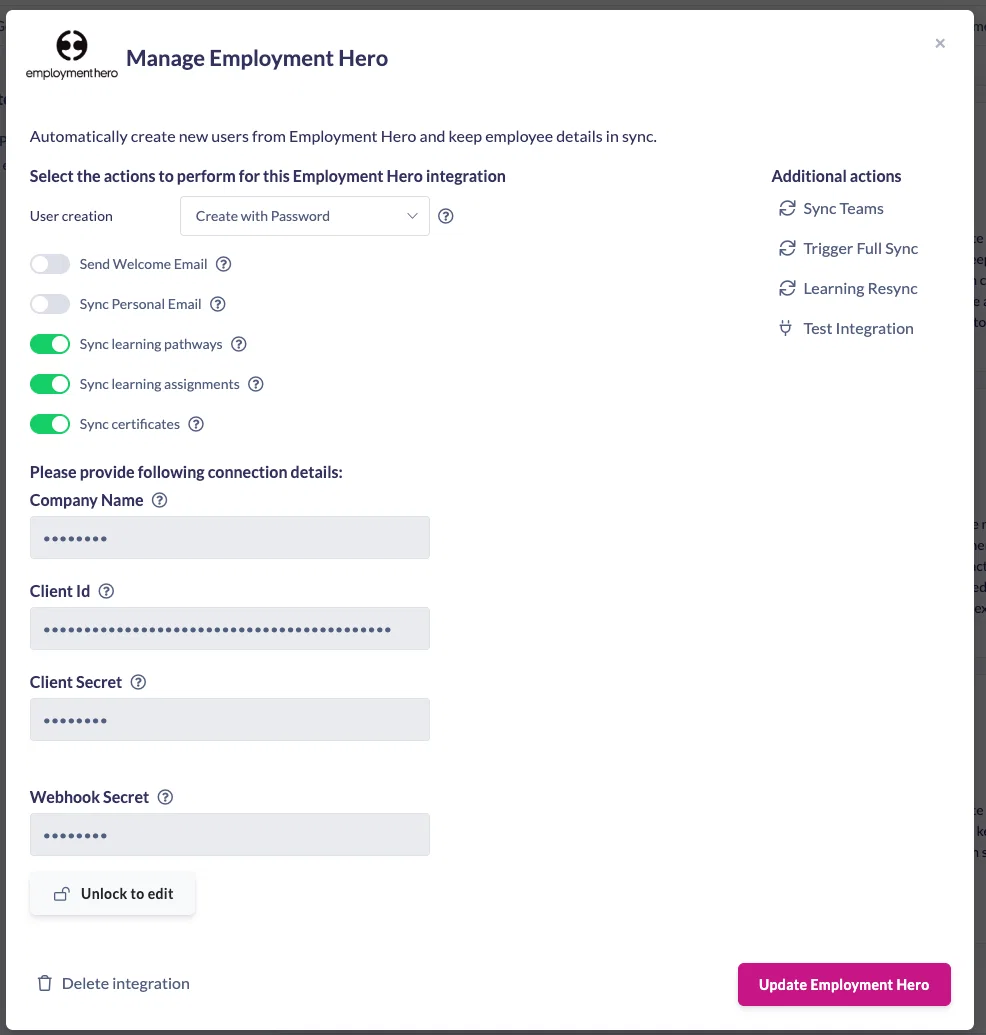
    We’re excited to announce an upgrade to our HR integrations that gives you even more control and visibility over learning data in SuperPath.

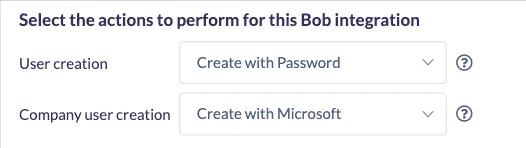
    You can now sync form completions directly back to your HR system, ensuring surveys, forms and quizzes are recorded against the employee’s learning record, automatically and accurately.

    This update is available for our HRIS integrations where syncing back to the learning record is enabled

    ✨ What’s new?

    Previously, SuperPath could sync pathway completions and individual course or assignment completions back to your HR system, but forms were excluded.

    With this release, you can now:

    • Sync individual form completions back to the employee’s HR record
    • Choose whether a pathway completion or individual step completion is sent to your HR system
    • Record multiple learning activities from a single pathway as separate learning records in your HR platform

    This gives HR teams far greater flexibility when tracking compliance, onboarding, feedback and assessments.

    🧠 Why this matters

    Forms are often used for:

    • Compliance declarations

    • Policy acknowledgements

    • Onboarding surveys

    • Knowledge checks and quizzes

    By syncing form completions back to your HR system, you can:

    • Maintain a single source of truth for employee learning records

    • Reduce manual admin and data reconciliation

    • Confidently demonstrate compliance and completion

    • Keep HR and learning data perfectly in sync

    🖥️ How it works (at a glance)

    Assignments

    1. Enable HRIS sync on a form in the editor
    2. Assign the form to a user
    3. The user completes the form
    4. Completion data is automatically sent back to the HR system
    image

    Pathways

    1. Add the form as a step in a pathway
    2. Open the step settings for the form and turn on Sync With HRIS
    3. [Optional] - Turn off the Pathway Sync With HRIS
    4. Assign Pathway

    image

  7. Pathways, Forms, and Events History

    New Feature

    Track every change. Stay in control.

    We’re excited to announce an important extension to Record History, you can now track changes across Pathways, Forms, and Events record

    When you have multiple people creating and maintaining learning content, knowing what changed, when it changed, and who changed it is critical.

    This update gives you a clear audit trail across some of your most important records, making governance, compliance, and collaboration significantly easier.

    image

    Why this matters

    This feature is a game changer for teams managing complex or regulated content.

    With Pathways, Forms, and Events History you can:

    • ✅ Audit changes with confidence

    See exactly who made changes and when, perfect for compliance and governance.

    • ✅ Collaborate safely

    Ideal for teams where multiple users are editing the same content.

    • ✅ Understand content evolution

    View historical versions to understand why changes were made.

    • ✅ Reduce risk

    Quickly identify unintended updates and, where needed, revert changes.

    What you’ll see in record history

    When you open record history, you’ll see:

    • A list of versions, ordered by date

    • What action occurred (e.g. publish, unpublish, edit)

    • Which user made the change

    • Detailed visibility into:

    • Pathway step updates

    • Form question edits

    • Event configuration changes

    image

    This builds on our original Record History release and takes it even further, giving you the visibility you need to confidently manage learning content at scale.

  8. Reassign learnings, even when they’re not finished

    New Feature

    Managing recurring compliance just got easier.

    You can now reassign a course or pathway even if a learner hasn’t completed their previous one. This ensures recurring training cycles stay consistent and your audit records remain accurate — even when learnings are left incomplete.

    Why this matters

    Previously, SuperPath wouldn’t reassign a learning if it was already in progress. That worked well in most cases, but for annual or recurring compliance, it meant incomplete records and missing assignment history.

    Now, with Reassign even if incomplete, you can confidently:

    • Reassign yearly compliance training

    • Maintain a clear audit trail

    • Track each learning cycle separately

    Where you’ll see it

    This option is available when:

    • Manually assigning a course or pathway

    • Scheduling recurring assignments

    • Using workflows with recurring learnings

    image

    Just tick Reassign even if incomplete, and SuperPath will create a new assignment instance, even if the previous one wasn’t completed.

  9. Learning Start Dates

    New Feature

    Control when learners can begin their learning.

    We’re excited to introduce Learning Start Dates, a powerful new feature that gives admins precise control over when learners can access assigned learning.

    Whether you’re running structured onboarding programs, cohort-based learning, or time-sensitive training, Start Dates ensure learners only see and start learning when the time is right.

    🌟 Why this matters

    Learning Start Dates are especially valuable when:

    • 👋 Onboarding new employees in cohorts

    • 📅 Aligning learning with real-world events

    • 🧑‍🤝‍🧑 Running structured programs on set schedules

    • ⚙️ Automating onboarding with workflows

    No more manual follow-ups or reassigning learning, SuperPath handles the timing for you.

    🔧 How it works

    Assign Start Dates to learning

    When assigning learning, you’ll now see a new Start Date field.

    image

    Control access within pathways

    Inside pathways, Start Dates can be set at:

    • Section level which blocks all steps in that section

    • Individual step level for fine-grained control

    You can choose:

    • A fixed date, or

    • A relative date (e.g. days after assignment)

    image

    Automate with workflows

    Learning Start Dates integrate seamlessly with Workflows. Perfect for running onboarding in scheduled cohorts.

    image

    👀 What learners see

    Learners can see the learning in My Learning, but:

    • They can’t start it early

    • They’ll see a clear message explaining when it becomes available

    This removes confusion and sets clear expectations.

    image

    image

    Learning Start Dates give you confidence that:

    • Learning is delivered on schedule

    • Learners aren’t overwhelmed

    • Programs run consistently and professionally

    As always, reach out to the SuperPath team if you’d like help setting this up, we’re happy to help.

  10. Custom Certifications

    New Feature

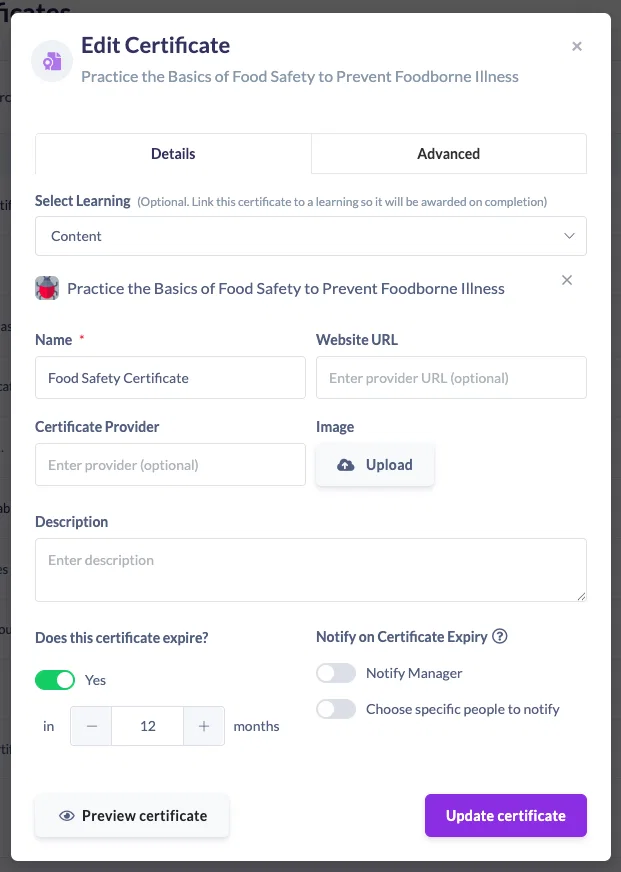
    Personalised certificates, automatically generated for every learner

    Until now, certificates in SuperPath were either:

    • Manually uploaded to a learner’s profile, or

    • Automatically awarded when a learner completed a pathway, course, or event

    While this worked well, certificates were generic — meaning you couldn’t personalise them with the learner’s name.

    ✨ What’s new?

    You can now create custom certificates that automatically include:

    • The learner’s name

    • The completion date

    • Your own branded certificate design

    Once set up, certificates are generated automatically when learning is completed — no manual work required.

    🎯 Why this matters

    • More professional – Learners receive a personalised certificate they’re proud to share

    • Fully automated – No more manual uploads or post-completion admin

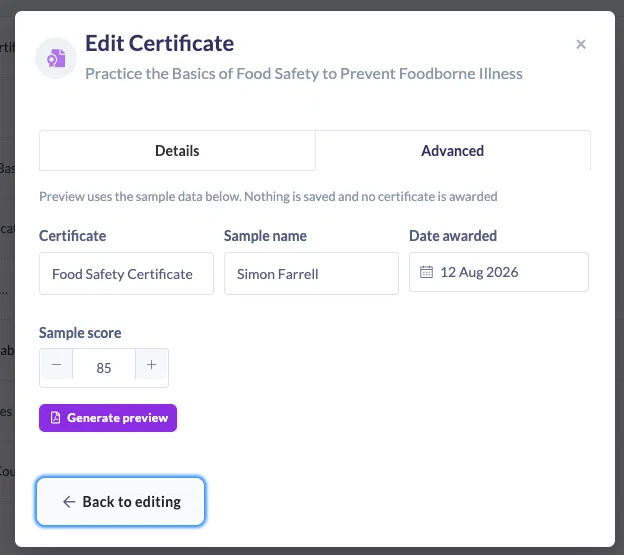
    • Flexible – Works across pathways, courses, SCORM content, events, and AI learning

    • Consistent branding – Upload your own certificate design and apply it at scale

    🛠 How it works (high level)

    1. Upload your certificate design (PDF)

    2. Enable name and date generation

    3. Customise font size, colour, and layout

    4. Assign the certificate to a pathway, course, or event

    5. Learners complete the learning → certificate is automatically awarded 🎉

    image

    If you have a specific placement requirement (for example, the learner’s name not centred), our team can help configure this for you behind the scenes.

    This upgrade makes certifications in SuperPath more meaningful, more polished, and completely hands-off.