Learning Start Dates
Control when learners can begin their learning.
We’re excited to introduce Learning Start Dates, a powerful new feature that gives admins precise control over when learners can access assigned learning.
Whether you’re running structured onboarding programs, cohort-based learning, or time-sensitive training, Start Dates ensure learners only see and start learning when the time is right.
🌟 Why this matters
Learning Start Dates are especially valuable when:
• 👋 Onboarding new employees in cohorts
• 📅 Aligning learning with real-world events
• 🧑🤝🧑 Running structured programs on set schedules
• ⚙️ Automating onboarding with workflows
No more manual follow-ups or reassigning learning, SuperPath handles the timing for you.
🔧 How it works
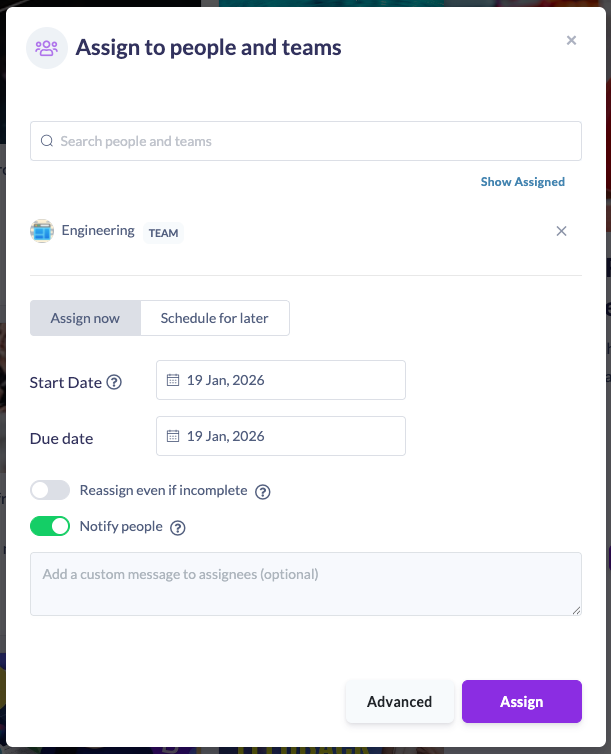
Assign Start Dates to learning
When assigning learning, you’ll now see a new Start Date field.
Control access within pathways
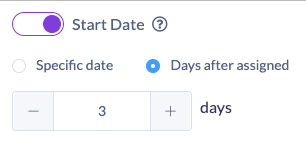
Inside pathways, Start Dates can be set at:
• Section level which blocks all steps in that section
• Individual step level for fine-grained control
You can choose:
• A fixed date, or
• A relative date (e.g. days after assignment)
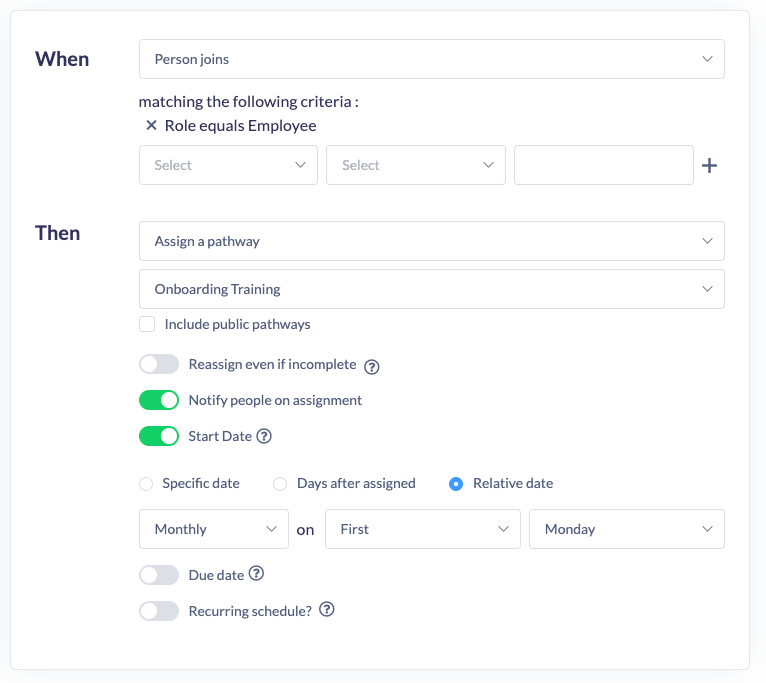
Automate with workflows
Learning Start Dates integrate seamlessly with Workflows. Perfect for running onboarding in scheduled cohorts.
👀 What learners see
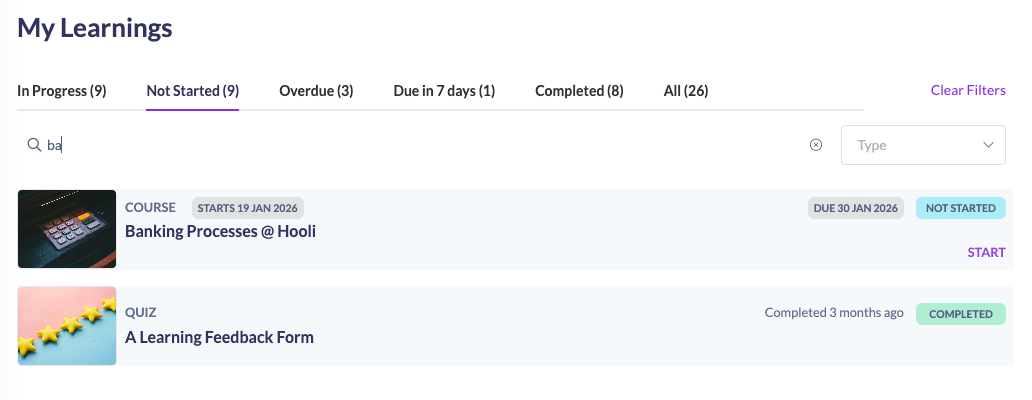
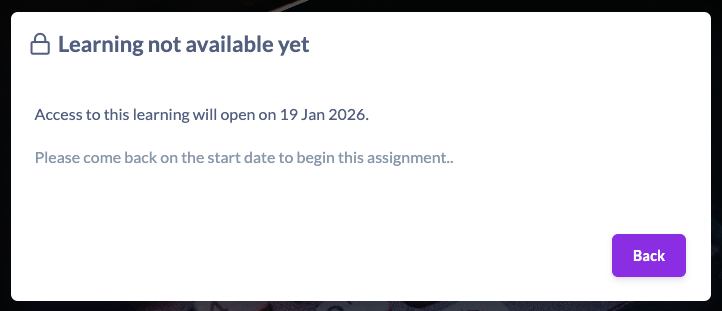
Learners can see the learning in My Learning, but:
• They can’t start it early
• They’ll see a clear message explaining when it becomes available
This removes confusion and sets clear expectations.
Learning Start Dates give you confidence that:
• Learning is delivered on schedule
• Learners aren’t overwhelmed
• Programs run consistently and professionally
As always, reach out to the SuperPath team if you’d like help setting this up, we’re happy to help.