Learning Requests
Introducing Learning Requests — take control of self-service learning
We’re excited to launch Learning Requests, a powerful new way to control how learning is accessed in SuperPath, without removing flexibility for your people.
Learning Requests lets you decide when learners can self-assign and when approval is required, giving you the best of both worlds: autonomy for employees and oversight for managers and admins.
Why Learning Requests?
Until now, learning in SuperPath could be:
• Assigned manually by admins
• Automatically assigned via Workflows
• Self-assigned by users
But sometimes, self-service isn’t the right answer — especially when:
• Events have limited seats
• Courses have a cost (e.g. external providers like Udemy)
• Compliance or role-specific pathways need approval
Learning Requests solves this.
How it works (at a glance)
Enable Learning Requests in Settings → Library

Choose which learning items require approval (Events, Courses, Pathways)
Select who can approve requests (Managers, Admins or both)
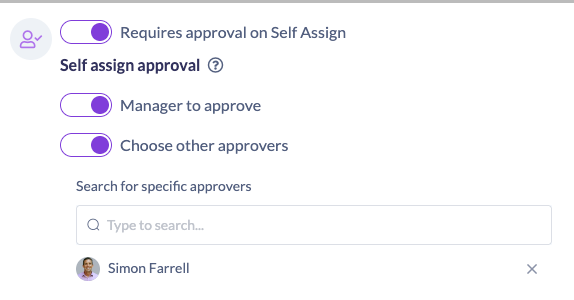
Learners request access from the Library

Approvers review, approve or decline — with comments
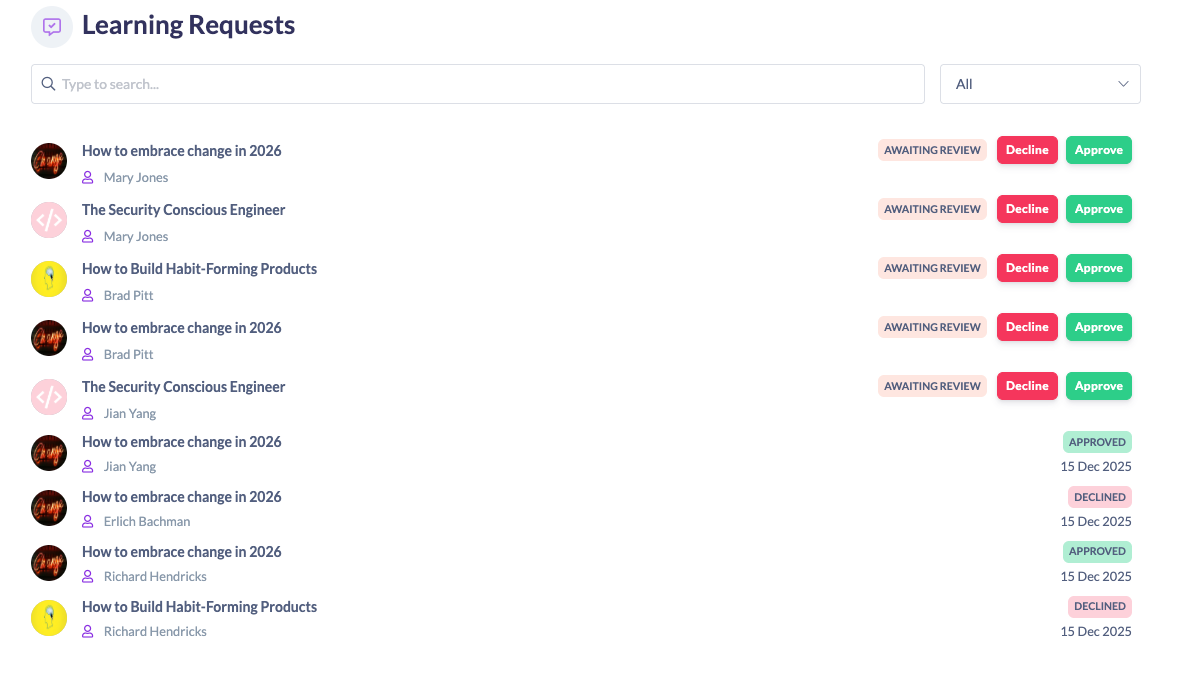
The benefits
- Control spend on paid learning
- Manage capacity for events
- Empower managers to approve learning
- Keep learning accessible — without losing governance
- Reduce admin back-and-forth
Learning Requests gives you smarter self-service learning, with the right checks in place.
As always, reach out to the SuperPath team if you have any questions, we’re here to help.