Turn learning into a conversation with Discussions
Learning is rarely a solo act. The best insights often come from a colleague's question, a shared "how are you finding this?", or a quick debate about how something applies to your team. Until now, those conversations lived in Slack, Teams or a thread of emails, where they scrolled away and were gone by the next morning.
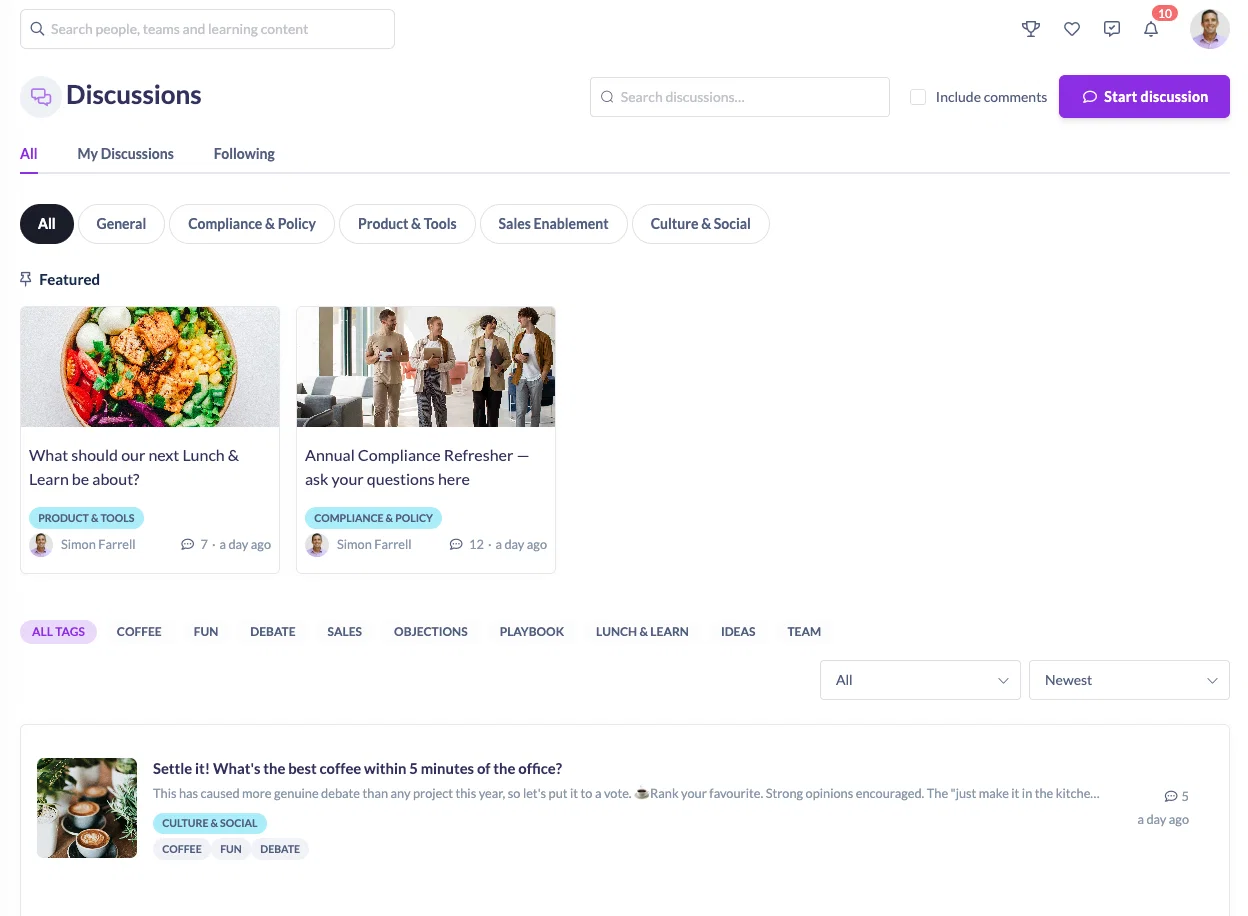
Discussions brings that community right into SuperPath. It gives your people a permanent, purpose-built space to ask questions, share ideas, react and learn from one another, either on its own or attached directly to the learning it relates to. It's one of the biggest releases we've shipped in a while, and it's included in your platform at no extra cost.
Why we built it
Social learning works because people learn faster when they can talk things through. A learner stuck on an annual compliance refresher can ask the group instead of waiting on a support ticket. A team can throw around ideas for the next lunch and learn. A manager can gather sentiment with a quick poll before making a call.
Discussions gives all of that a home that stays put. Conversations are ever present and searchable rather than transient, so the knowledge your people share sticks around for the next person who needs it.
Set it up your way
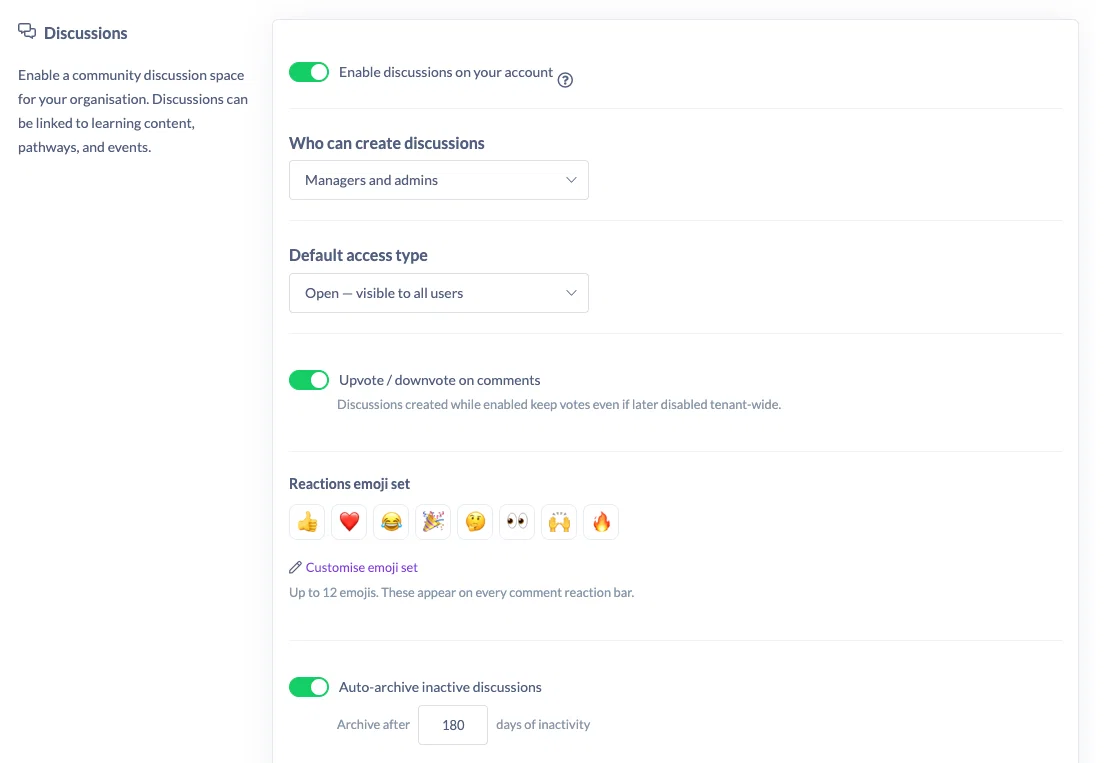
Discussions is fully configurable, so you can open it up or keep it tightly controlled to suit how your organisation works. Head to Settings → Features → Discussions to switch it on, then decide how it behaves.
Choose who can start discussions. Keep creation centralised with admins only, extend it to your managers, or let everyone in the organisation start their own conversations.
Set the default access type. Decide whether new discussions lean open by default or start private, so you can steer your community towards the culture you want.
Tune the details. Turn comment voting on or off, set discussions to auto-archive after a period of inactivity, and define the exact set of reaction emojis your people can use, so reactions stay on brand and appropriate.
Three ways to control who sees what
Every discussion has an access type, so you can match visibility to the topic.
Open discussions are visible to everyone, perfect for company-wide questions and anything you want the whole organisation weighing in on.
Team-only discussions are limited to the members of a specific team, ideal for something like a sales enablement thread that only concerns one group.
Invite-only discussions are seen by just the people you invite, for sensitive topics or a small working group.
Bring conversations to your learning
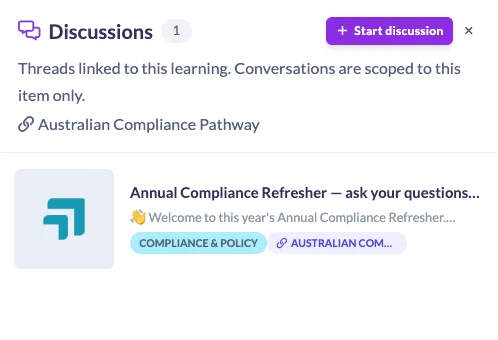
This is where Discussions really earns its place. You can link a discussion to a course, pathway, event, roadmap level or knowledge article, so the conversation sits right alongside the thing it's about.
Take an annual compliance refresher. Rather than fielding the same questions across email and chat, you attach a discussion to the pathway. Learners open the Discussions panel straight from the learning page, ask their questions and learn from each other's answers, all without leaving the content.
Make discussions easy to find
As your community grows, structure keeps it usable.
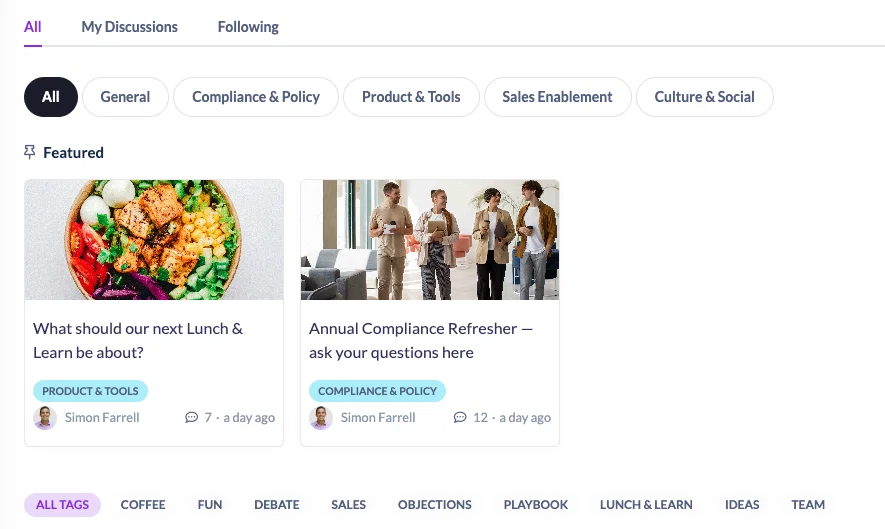
Categories and tags organise every discussion so people can browse straight to what interests them, with multiple tags per thread for finer sorting.
Featured discussions let you spotlight the conversations you most want your team to see, pinned to the top of the hub.
More than just comments
Discussions is built for real back-and-forth.
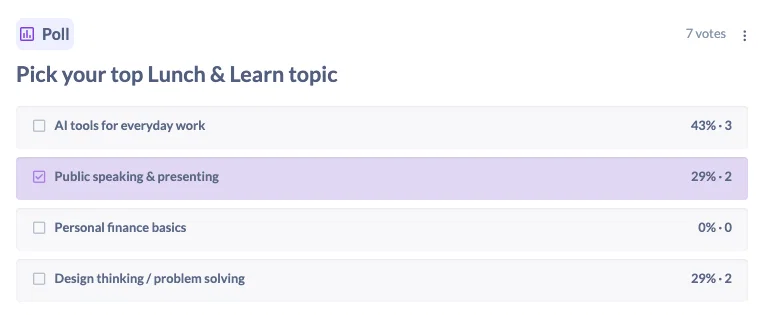
Polls kick off a conversation with a quick vote. Add multiple-choice options and an optional close date, then watch the results build in real time. Great for gathering ideas or making a group decision.
Reactions, replies and mentions keep the conversation flowing. React with an emoji, reply directly to a comment, or @-mention a colleague to pull the right person in.Comment voting lets the most helpful replies rise to the top, so good answers don't get buried.
Notifications keep everyone in the loop. When someone comments or reacts, the relevant people are notified, so conversations keep their momentum without anyone having to check back constantly.
Built-in moderation
An open community needs the right guardrails. Discussions includes moderation tools so your team can flag comments that don't belong. Comments that gather enough flags are removed automatically, and admins can hide, delete or pin comments as needed. You'll find the full detail in the Help Centre.
See what's working
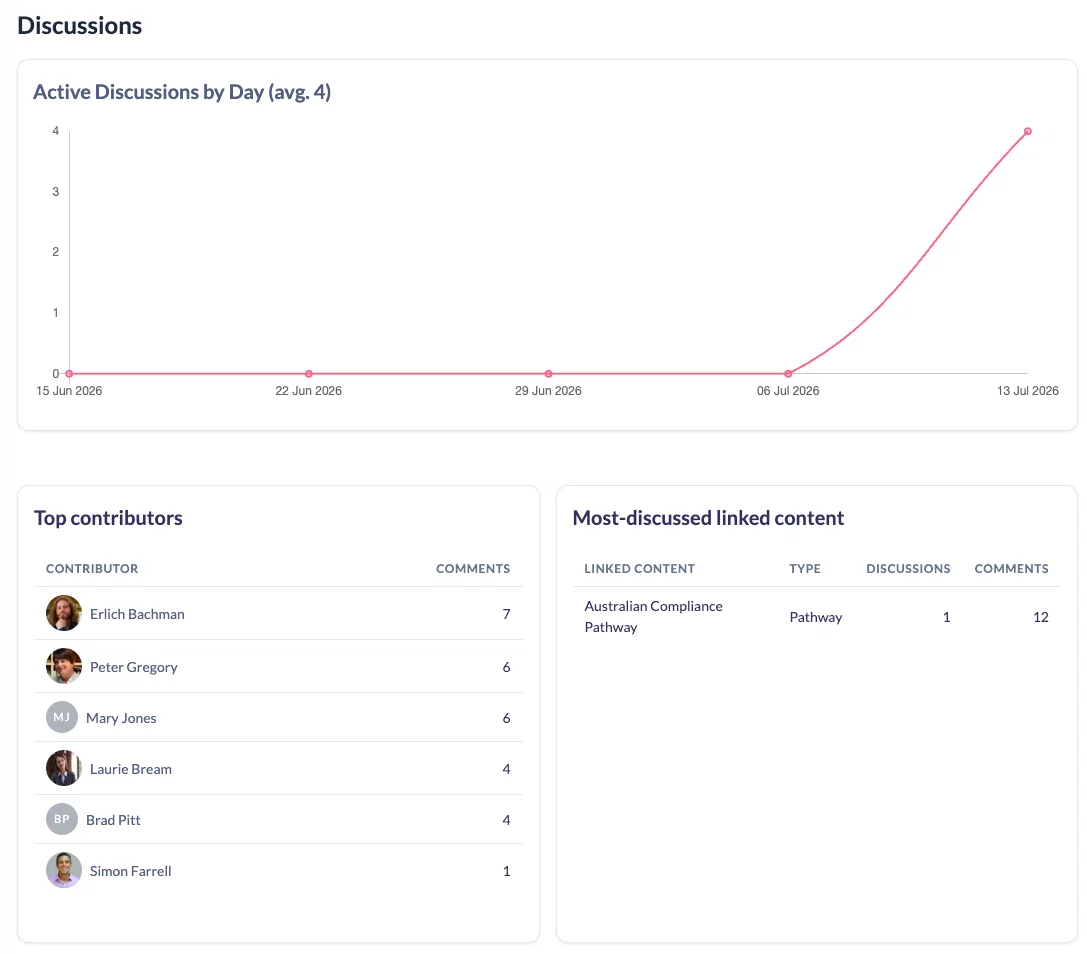
Head to your company dashboard and click View analytics to see how Discussions is landing. Track the number of active discussions, see which content is most linked, and spot your top contributors, so you can keep a light hand on the tiller and celebrate the people driving your community.
Give it a go
Discussions is the biggest step we've taken towards genuine social learning in SuperPath, and it's ready for you now.
Switch it on in your settings, start a discussion or two, and see how your people take to it.
We'd love your feedback. This one has been a labour of love, and we can't wait to see the communities you build.