Training records now flow back into Employment Hero
The Employment Hero integration is now a two-way sync.
Completions, learning pathways and certificates earned in SuperPath write straight back to each employee's Employment Hero record. No exports, no spreadsheets, no double handling.
The problem we've solved
Until now, our Employment Hero integration ran in one direction. You could push your people into SuperPath, new starters, updates, offboarding, teams and that side of things worked beautifully.
But the training data was stranded. If your HR team needed to see who'd completed their compliance training, or an auditor asked for evidence against an employee file, someone had to go into SuperPath, pull a report and manually update Employment Hero. Two systems, two versions of the truth, and a job nobody wanted.
Employment Hero has since expanded their API, and we've built on it. Training records now sync back automatically — which means Employment Hero can genuinely be your single employee record again.
What syncs back?
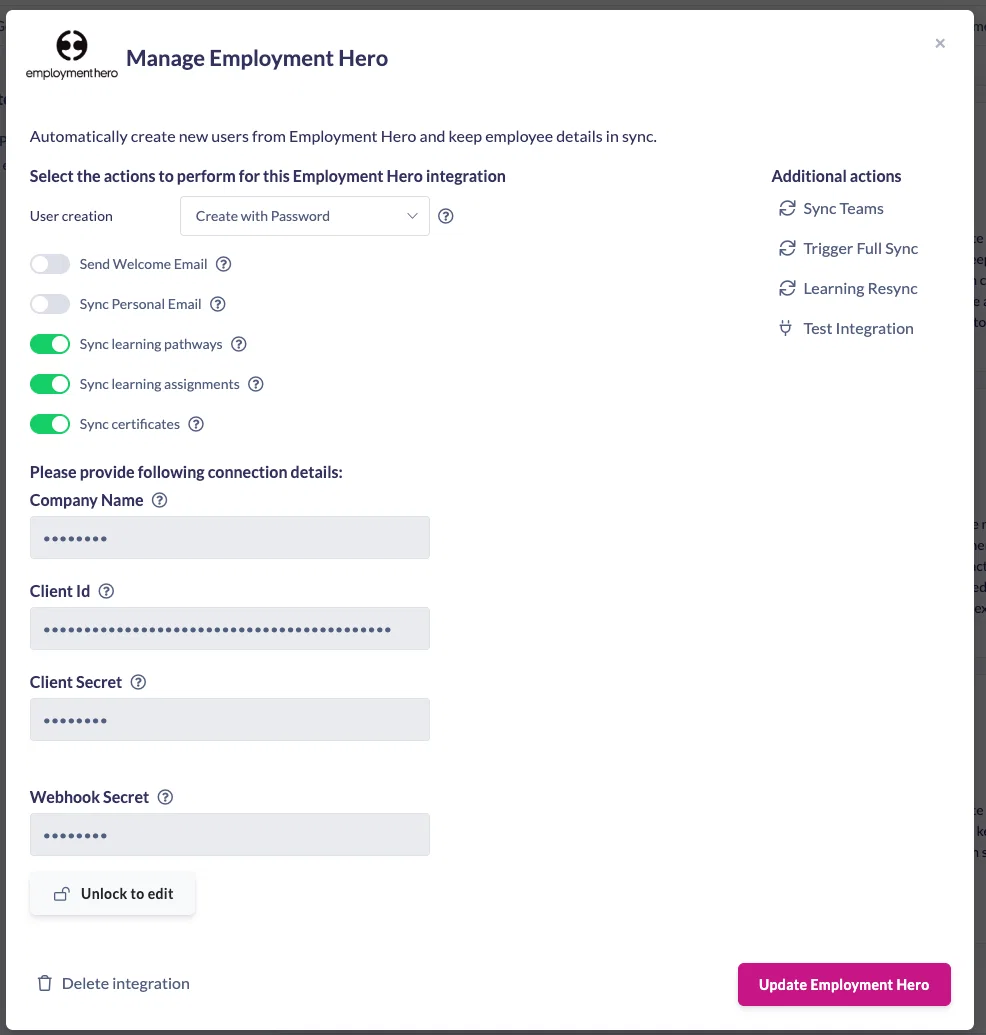
Three things now travel from SuperPath into Employment Hero, and you choose which ones are switched on when you connect:
- Individual learning assignments. Assign a course, and when it's completed the record appears against that employee's training in Employment Hero. Whether they finish it themselves or an admin marks it complete on their behalf, the outcome is the same.
- Learning pathways. Whole pathways sync back too, not just standalone courses — so a multi-course induction or a compliance program lands as a completed record rather than a scattering of pieces.
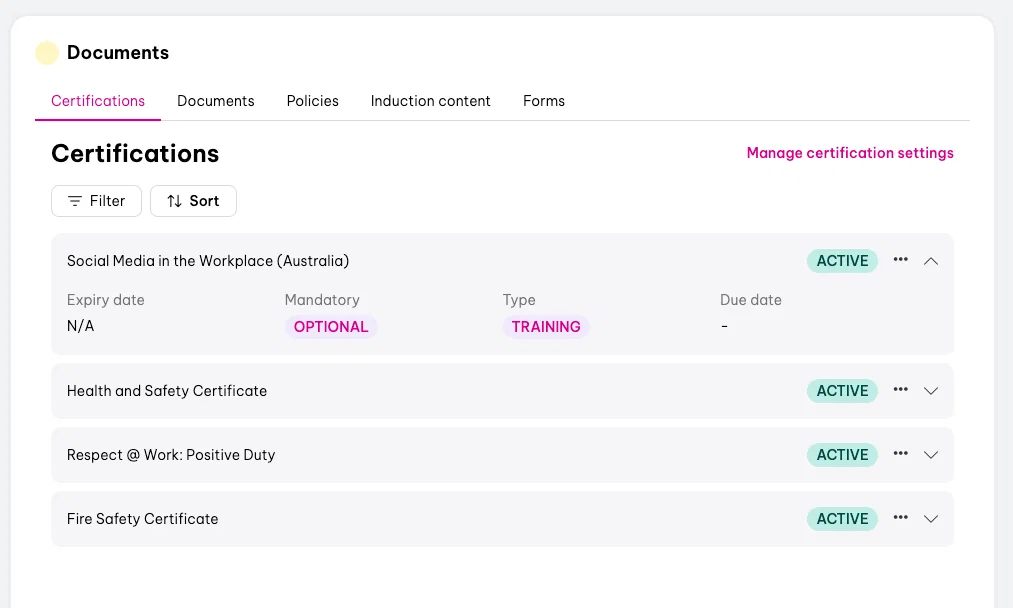
- Certificates. Certificates awarded through a learning, or added manually against someone's profile, sync across with their award date and expiry. Useful for the things that live outside SuperPath — a fire safety ticket, a first aid certificate, a licence renewal — where Employment Hero is where the reminder needs to sit.
You also stay in control at the item level. Each course and each pathway has its own setting for whether it pushes back to Employment Hero, so internal or optional content doesn't have to clutter an employee's formal training record.
What it looks like in practice
Here's the flow, using a compliance course as an example:
- Assign the course in SuperPath. In this case, Respect at Work, assigned to a team member.
- The learner completes it — or an admin marks it complete on their behalf.
- The record appears in Employment Hero against that employee's training, automatically.
- SuperPath shows the sync status on the assignment, so you can confirm it's landed — and re-sync manually if you ever need to.
The same applies to certificates. Add a certificate to someone's SuperPath profile with an award date and expiry, and it shows up in their Employment Hero record ready for whatever renewal reminders you've configured there.
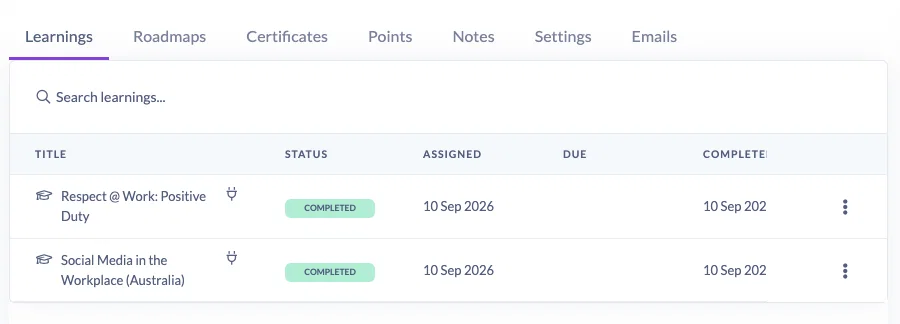
Anywhere you see the sync icon in SuperPath, that record is connected to your HR system. It's a quick visual check that everything's flowing.
Existing customers: you'll need to reconnect
This is the one bit of housekeeping. The two-way sync needs a broader set of permissions than your current connection has, so existing integrations need to be deleted and set up again, including removing the old webhooks on the Employment Hero side.
It's a ten-minute job, and the Help Centre article walks through every step with the exact values you'll need. In short:
- Delete your existing connection in SuperPath, and remove the old webhooks in Employment Hero.
- Create a new application in the Employment Hero developer portal, using the correct redirect URL for your region (AU and US are different — the Help Centre lists both).
- Select the required scopes, including certifications, which is what makes the write-back possible.
- Copy your company name, client ID and secret into SuperPath, along with your account ID in the webhook URL.
- Test the connection, sync your teams, then run a full sync and re-sync your learnings to bring existing completions across.
Start with the Help Centre article rather than the developer portal. It has the scopes, the URLs and the account ID location all in one place, which saves a lot of tabbing back and forth.
New to the integration? There's nothing extra to do, just follow the standard setup and switch on the sync options that suit you.
What this changes day to day
- Your HR team stops chasing SuperPath for evidence. Compliance status lives where they already work.
- Audits get simpler. Training history and certificate expiries sit against the employee file, with dates attached.
- Offboarding stays clean. Employee data flows in, training data flows out, and the record in Employment Hero is complete when someone leaves.
- Nobody re-keys anything. Which was always the point.
Ready to switch it on?
Head to Settings → Integrations → Employment Hero to get started, and keep the Help Centre article open alongside you. If you're already connected, block out ten minutes to delete and reconnect, you'll only need to do it once.
Questions, or something not syncing the way you expect? Get in touch with our support team and we'll sort it out.