Sync Skills and Certificates Between HiBob and Superpath
Your HiBob skills library, in SuperPath
If you build and maintain your skills framework in HiBob, you no longer have to re-key it into SuperPath or watch the two drift apart.
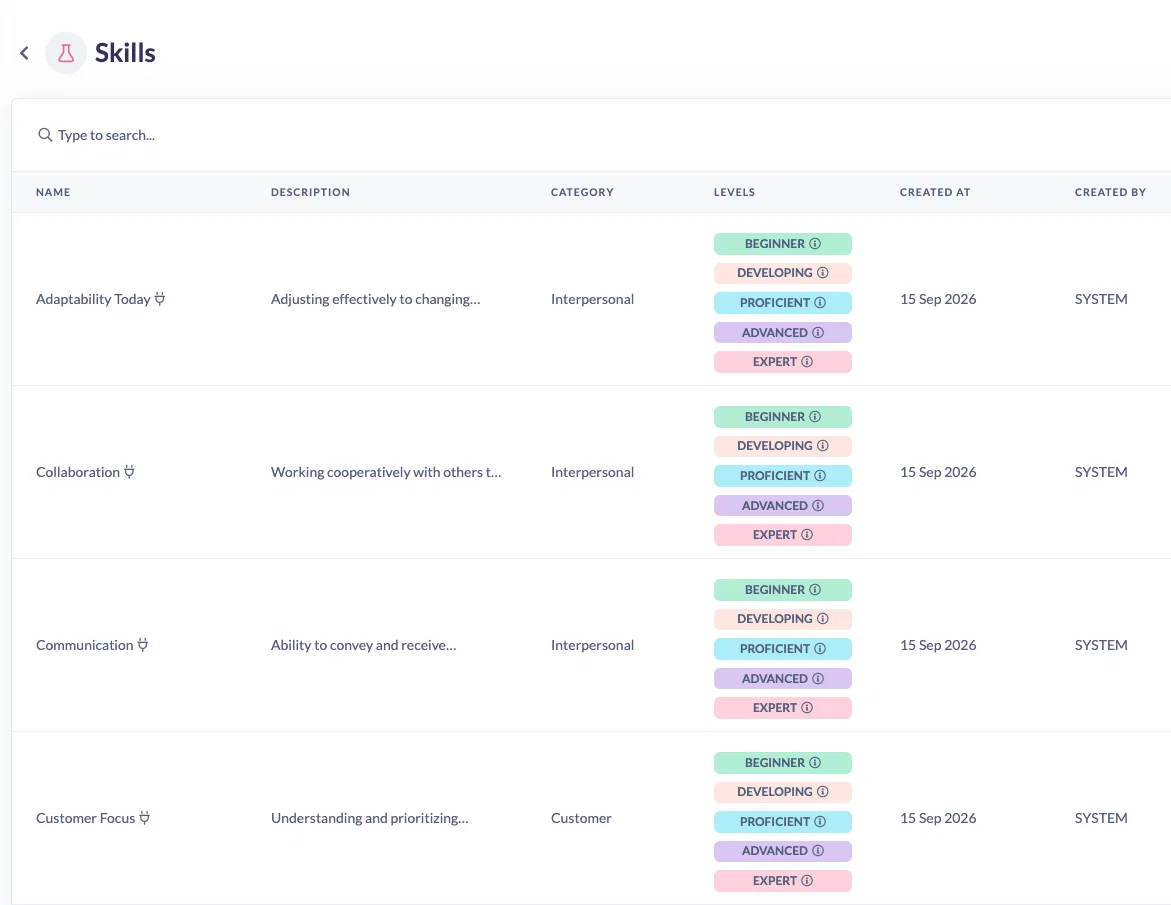
SuperPath now reads your HiBob skills catalogue once a day and mirrors it. Skills arrive with everything Bob holds about them: the category, the description, and your own proficiency ladder, with each level's behaviour description attached. You then attach those skills to courses, learning pathways and events exactly as you would a skill you created yourself, and your people earn them automatically on completion.
Because Bob stays the source of truth, synced skills are read only in SuperPath. They carry a plug icon wherever they appear, and you manage them in Bob. Rename a skill or one of its levels there and the next sync updates it in place, keeping the content it is attached to and everyone who has already earned it.
Certificates now reach the Bob training record
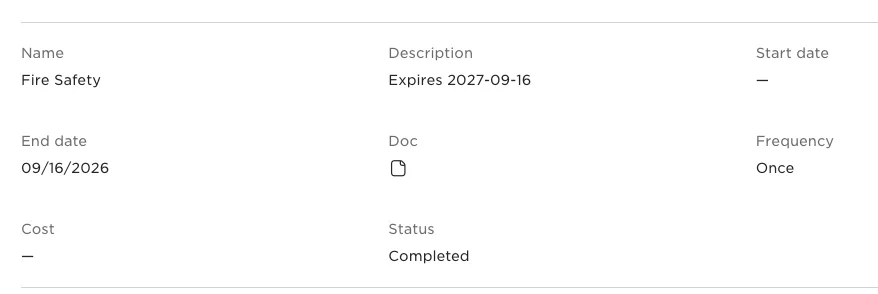
Turn on Sync certificates and every certificate someone earns in SuperPath is added to their HiBob training record as soon as it is awarded, with the certificate file attached so it can be opened straight from the employee record. Delete the certificate in SuperPath and the matching training record is removed in Bob, so the two stay in step.
Already have a back catalogue of earned certificates? Run Learning Resync from the integration and they will be backfilled.
Turning it on
Skills sync reads from a report you create in Bob, so there is a short setup step.
- In Bob, go to Analytics, then Reports, and add a report from the built in Skills Catalog template.
- Name it exactly SuperPath - Skills Catalogue and save it to a company reports folder.
- In SuperPath, open Settings, then Integrations, open Bob and turn on Sync skills and Sync certificates.
- Use Sync skills now if you would rather not wait for the overnight run.
Full instructions, including what each sync run creates, updates and archives, are in the help centre: How to Sync Your HiBob Skills Catalogue.
If you already have HiBob connected
These features need three permissions your existing connection was never granted: View reports, Manage documents and View skills. Reconnect the integration once and accept the requested permissions, and you are set.