One Workflow or Dynamic Team where you used to need several
Workflows and Dynamic Teams can now match any of your conditions, not only all of them.
Until now, every condition you added to a Workflow trigger or a Dynamic Team had to be true. You can now list several values in one condition, and choose whether a person needs to match all of your conditions or just one of them.
The problem we've solved
Conditions were always joined with "and". That works well for narrowing an audience, but real audiences are rarely that tidy. Your clinical induction applies to Nurses, Carers and Enrolled Nurses. Your compliance team is anyone who finished either version of the induction Pathway.
Nobody holds three job titles at once, so the only way to build these was one Workflow or one Dynamic Team per value. That meant three Workflows to keep in step, three sets of due dates to update, and three places for a change to be missed.
Now it is one.
How it works
There are two new options, and they work the same way in both builders.
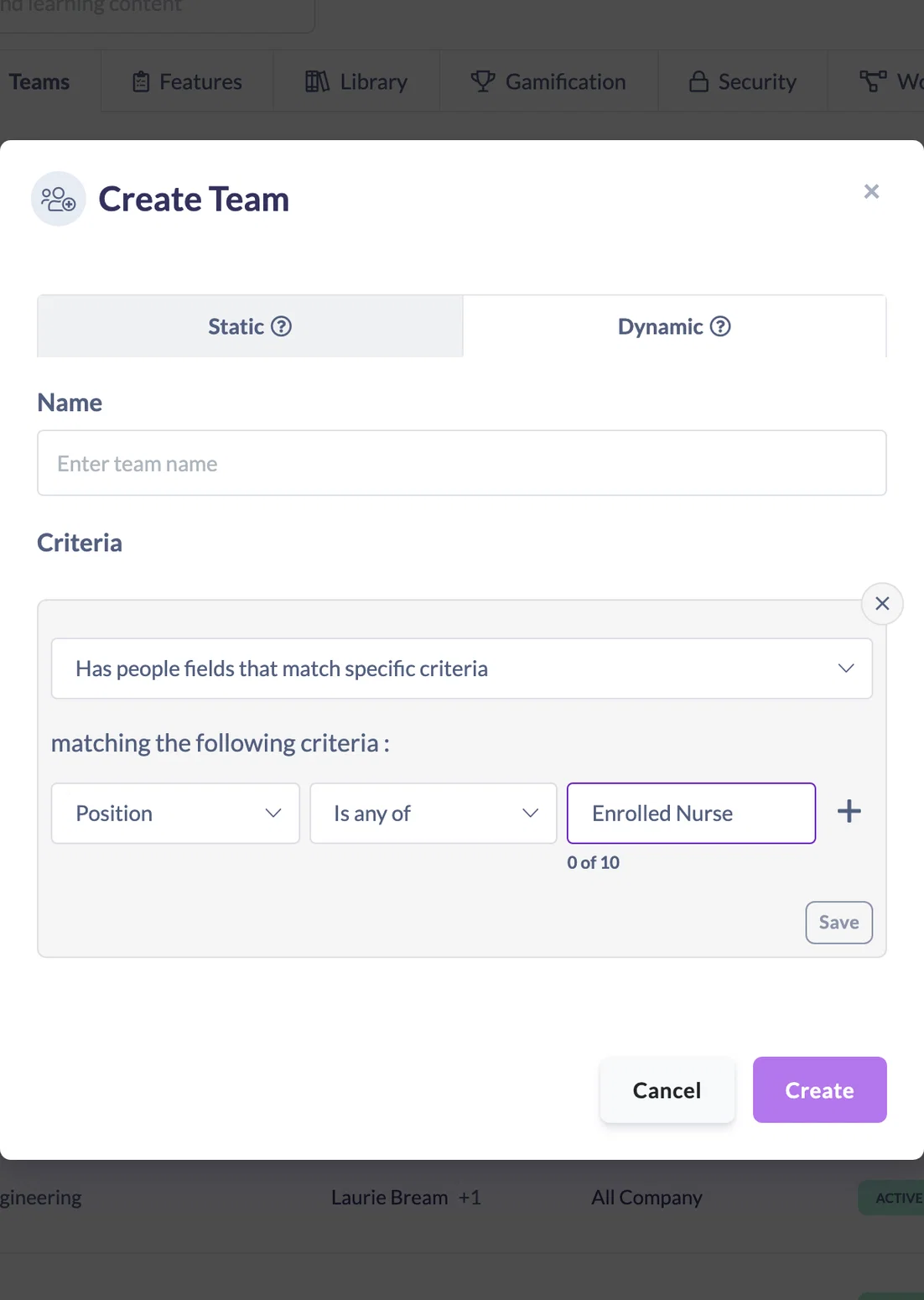
Is any of. Pick a field, choose Is any of as the operator, then add up to 10 values. One condition then covers them all, for example Position is Nurse, Carer or Enrolled Nurse.
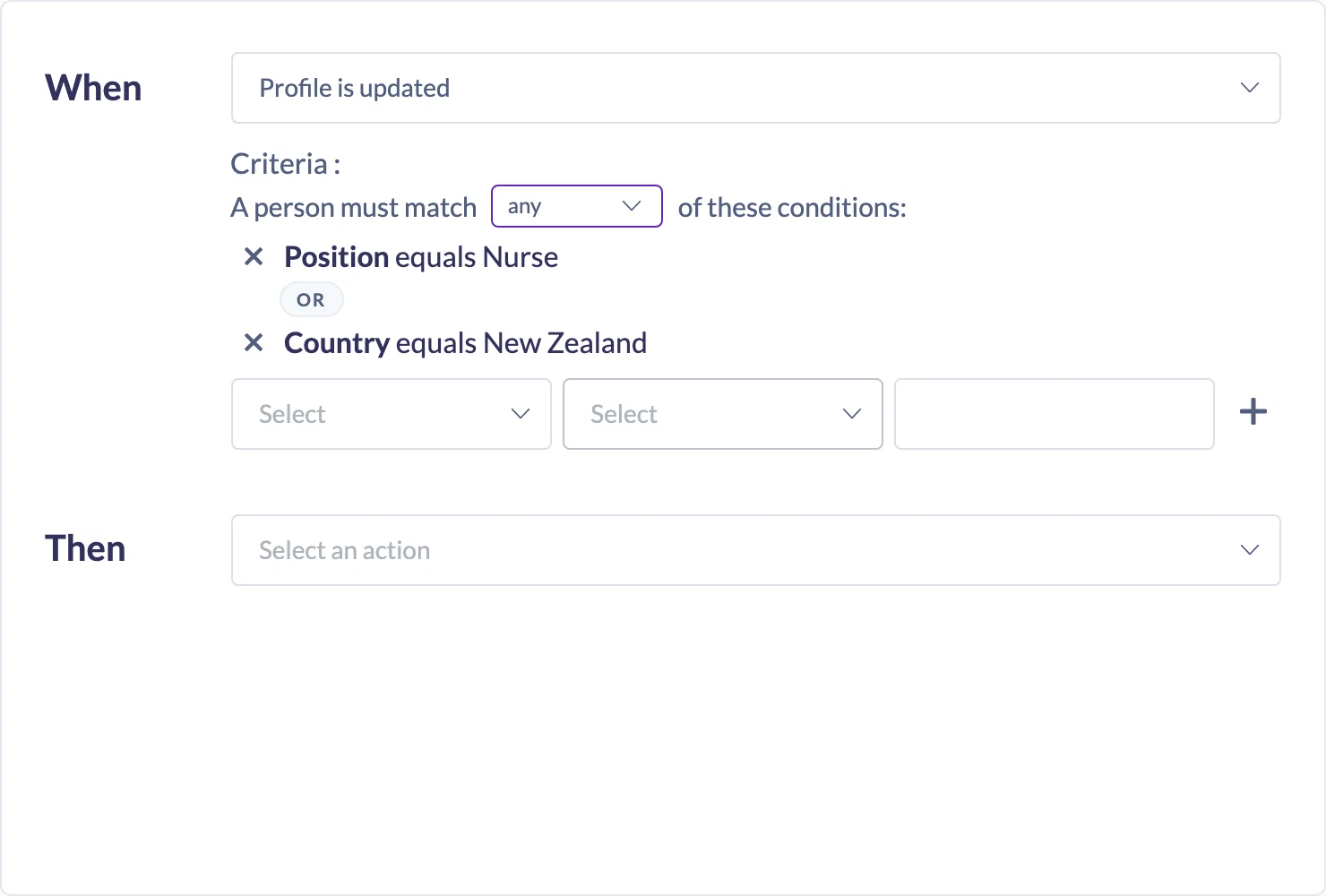
Match all or any. As soon as you add a second condition, a sentence appears above them: A person must match all of these conditions. Switch it to any and one condition is enough. Dynamic Teams get the same choice across their rules, so one team can include everyone in either of two Teams, or anyone who completed either of two Pathways.
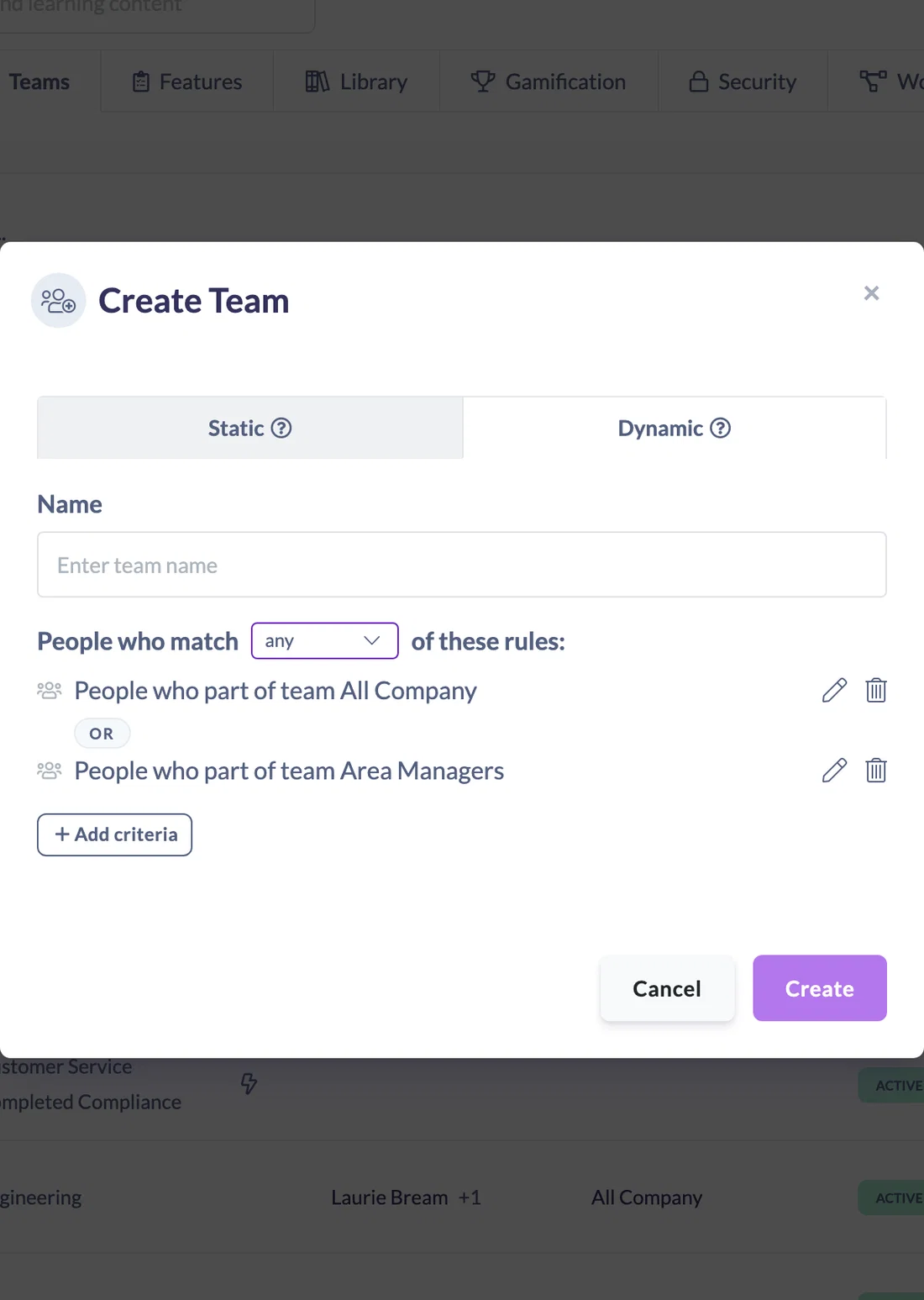
The word between your conditions changes from "and" to "or", so the rule reads back as a sentence, both in the builder and on your Workflows list.
The AI Assistant understands both options too. Ask it for a Workflow for "Nurses or Carers" and it builds one Workflow with a single Is any of condition.
Where it earns its place
- Assigning one onboarding Pathway to several related job titles from a single Workflow.
- A Dynamic Team for everyone across a set of locations or states.
- A team that includes anyone who completed either the old or the new version of an induction.
- Assigning and reporting against one Dynamic Team instead of several overlapping ones.
Worth knowing
- Nothing changes for your existing Workflows and Dynamic Teams. They are set to match all, exactly as they have always behaved, until you choose otherwise.
- The all or any choice applies to the whole list, so you cannot mix "and" with "or" in one list. In a Dynamic Team you can still say "this and this, or that" by putting each group in its own rule and setting the team to match any rule. For Workflows, build two.
- A Workflow's trigger is still a single event, such as being added to one particular Team. The new options apply to the conditions beneath it.
- A Tag condition now matches content or Pathways that carry that tag alongside others, not only items where it is the only tag. If you have Workflows built on tags, check they reach the content you expect.
Full details are in How to Set Up Dynamic Team Rules and How to Choose a Workflow Trigger.