Notify the Right People, Every Time
We’ve just launched one of our most requested features: Learning Completion Notifications
Now, you can customise exactly who gets notified when a learner completes their training. giving you more control, better visibility, and stronger alignment across your team.
🔍 What’s new?
Until now, only the person who assigned the learning would be notified on completion.
That works for smaller teams but as you grow, you need more flexibility.
With this update, you can now:
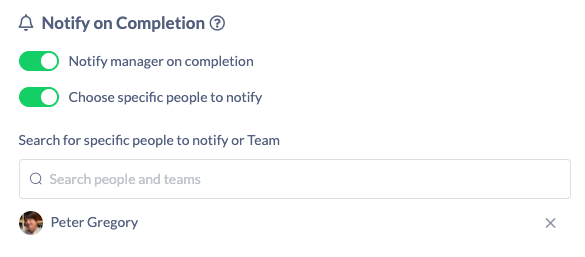
• Notify a learner’s manager
• Notify specific individuals (e.g. instructors, compliance teams, stakeholders)
• Apply this to both individual assignments and learning pathways
⚙️ How it works
For individual assignments
When assigning any content (courses, documents, forms, or events):
• Open Advanced settings
• Select who should be notified on completion
For learning pathways
Set default notifications directly in your pathway:
• Go to Pathway Settings
• Configure who gets notified
• Republish to apply changes
💥 Why this matters
This feature unlocks a whole new level of visibility and control:
• ✅ Keep managers in the loop automatically
• ✅ Ensure compliance teams are notified instantly
• ✅ Support instructor-led programs with real-time updates
• ✅ Scale your learning operations without extra admin
No more chasing updates or manually tracking completions, the right people are notified instantly.