Introducing Self-Registration
Until now, getting people into SuperPath meant inviting them one by one. That's fine when everyone sits inside your organisation, but not when you're reaching association members, a wider community, contractors, or staff at a business without a HR platform.
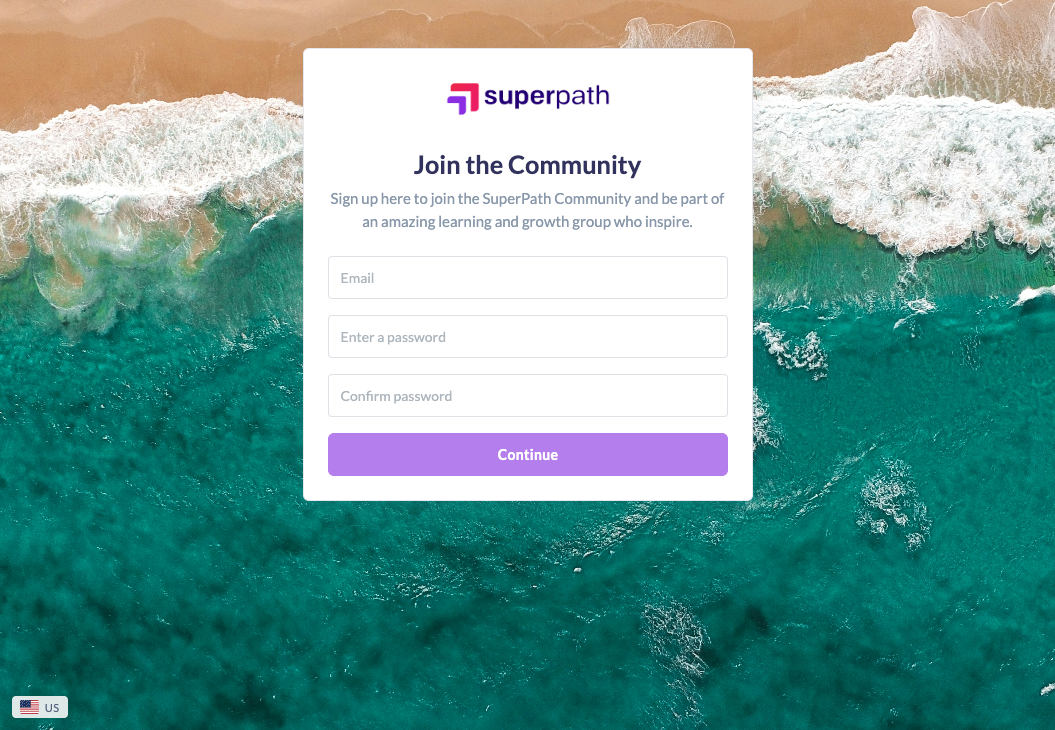
Self-Registration changes that. It gives you a branded sign-up page where the right people register themselves, joining instantly or waiting on your approval. From there, your workflows and teams take over, assigning learning and shaping the experience around each person. It's the fastest way yet to grow your account beyond your own four walls.
Let people sign themselves up
Instead of manually inviting every new person, you share one link and let them register on their own. It's ideal for communities and associations opening their doors to new members, and for organisations bringing on contractors or seasonal staff who come and go.
For example, an association running professional development can post their sign-up link in a newsletter and let members join whenever they're ready, without any admin lifting a finger.
Choose exactly how people get in
You decide whether new sign-ups need a green light or come straight through. Turn on Auto-approve and registered users land in your account immediately, perfect for open communities where speed matters. Switch to Require approval and every registration waits in a pending list until you review it, which suits contractor onboarding or anywhere you need a checkpoint.

Route people to the right teams from day one
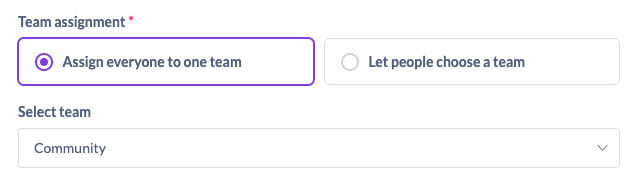
Every person who self-registers joins a team, so their experience is shaped from the very first login. You can assign everyone to a default team automatically, or let people choose the team that fits them during sign-up.
This is where Self-Registration really shines. Pair it with your workflows and restricted content and you can build a tailored library for each team, showing people only what's relevant to them. A community running several interest groups, for instance, can let members pick their group at sign-up and immediately see content built just for them.
Capture the details that matter to you
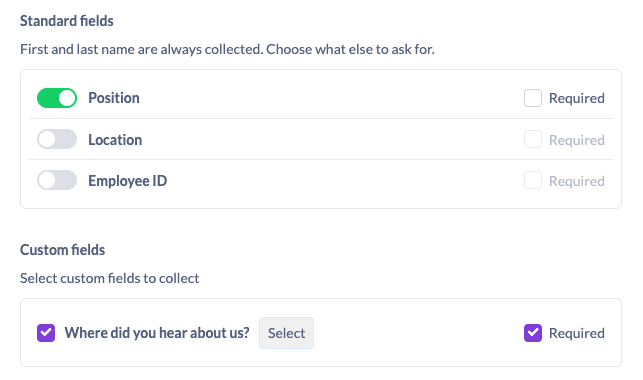
Decide which fields appear on your sign-up form. Turn on default fields like Position, and add your own custom fields to gather the information you care about. A dropdown such as "Where did you hear about us?" can be set to required, so you never miss it. Only the custom fields you've already set up will appear as options, keeping your form clean and relevant.
Make it yours, and keep it secure
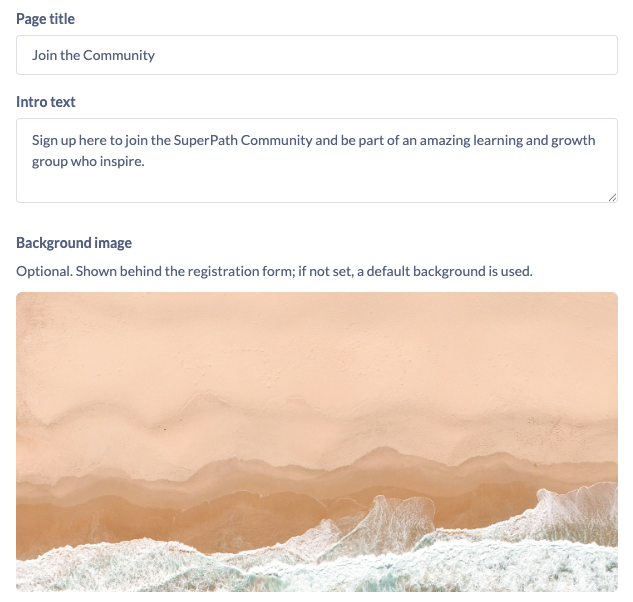
Self-Registration is built to feel like your own front door. Set a custom slug for your sign-up URL, or connect your own domain with a CNAME. Add a page title, intro text and background image so the page reflects your brand.
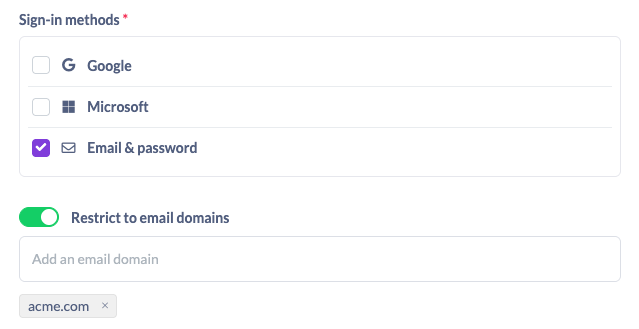
You also stay in control of how people register. Choose which sign-up methods to offer, whether that's email and password, Google, or Microsoft. And for organisations, you can lock registration to a specific email domain, so only people with a company email address can apply. That makes it simple for staff to sign themselves up while keeping everyone else out.
Review and approve in one place
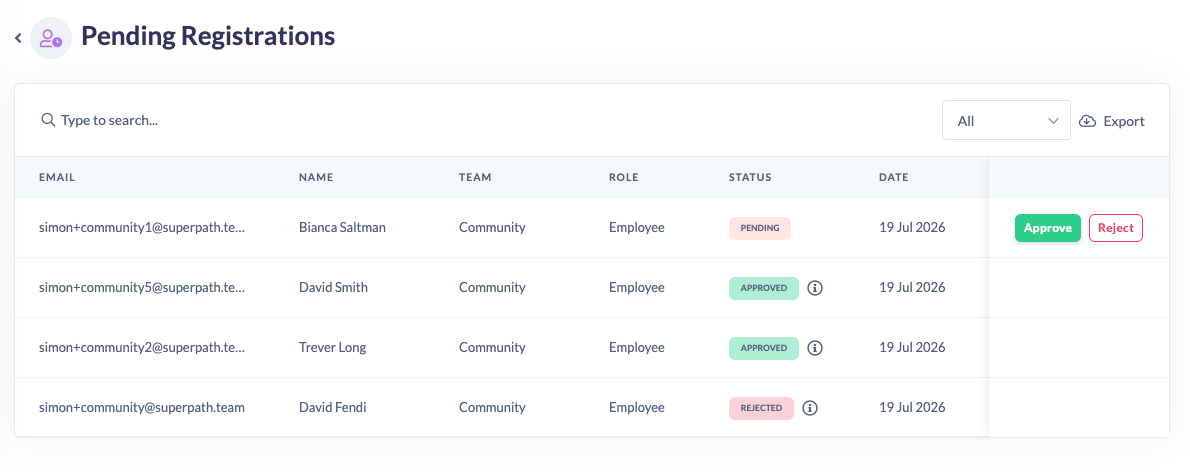
When approval is switched on, every registration lands in a new Pending list, sitting right alongside your Invites under People. Approve someone and they're notified straight away that they can log in with the details they provided. Reject someone and you can add a reason, with a clear record of who made the decision and why.
How this changes your workflow
Self-Registration takes the manual work out of growing your account. Instead of inviting people one at a time, you set up a page once and let the right people come to you. Combined with teams and workflows, that means a new member can register, get approved, land in the correct team, and start on the learning meant for them, all without you touching a thing after setup.
For communities and associations, it's a way to scale membership without scaling admin. For organisations working with contractors or without a HR platform, it's a simple, secure way to bring people on board and off again as needed.
Ready to open the door?
Self-Registration is available now. To turn it on, head to Settings, then the Security tab (you'll need an owner role), and look for the Self-Registration block. Configure your page, choose your settings, and share your link.
We can't wait to see the communities, associations and teams you build with it.