Introducing Restricted Users
We’re excited to introduce Restricted Users! A powerful new way to securely extend learning access beyond your organisation.
Whether you’re onboarding contractors, working with third parties, or delivering compliance training externally, Restricted Users make it simple to give access only where it’s needed and nowhere else.
What are Restricted Users?
Restricted Users are a new role in SuperPath designed for people who only need access to their assigned learnings.
They can:
• View and complete assigned learning content
• Receive notifications for due dates and new assignments
They cannot:
• Access the wider platform
• View other users or organisational data
• Navigate beyond their assigned learning
Built for external access (without the risk)
This feature is perfect for:
• External contractors
• Consultants and freelancers
• Compliance training for third parties
• Partner or vendor enablement
You can now confidently invite non-employees into SuperPath, knowing their experience is completely locked down.
How it works
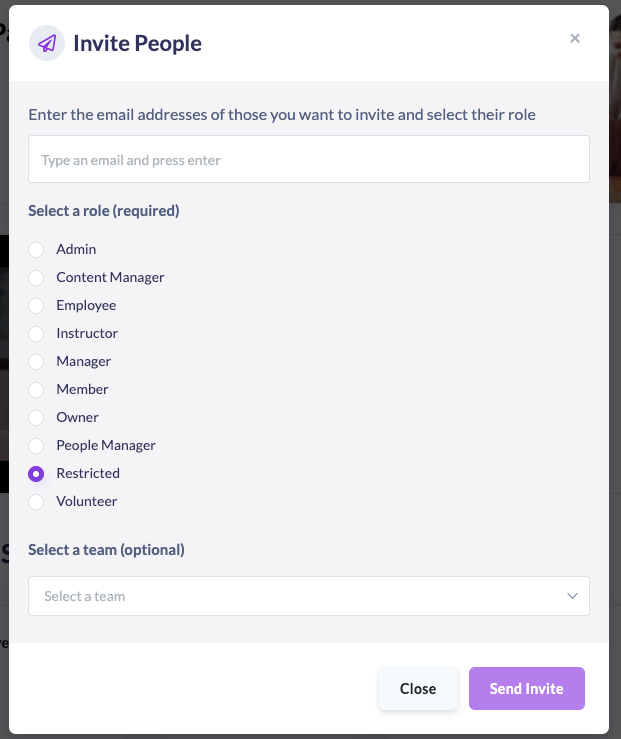
When adding or inviting a user, simply select the new Restricted role.
From there:
• Assign them learning content or pathways
• They’ll receive access to only that content
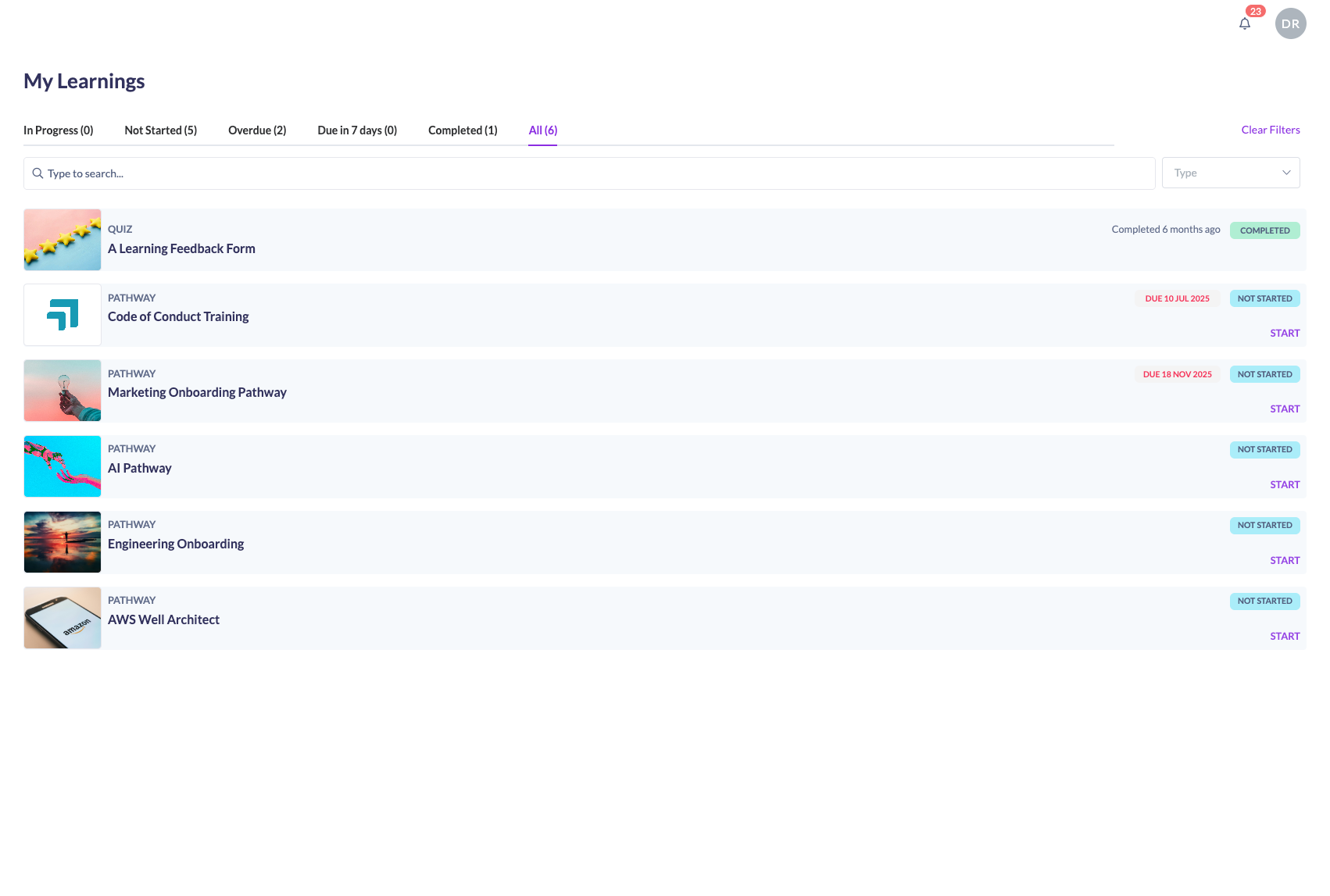
• Their experience is fully focused — no sidebar, no distractions
Admin view: adding a Restricted User
Restricted User view: simplified learning-only interface
It’s a small change with a big impact — giving you more flexibility in how you deliver learning.
Check out our Help Centre Documentation for more details of this and other roles