Integration Logs for Complete Visibility
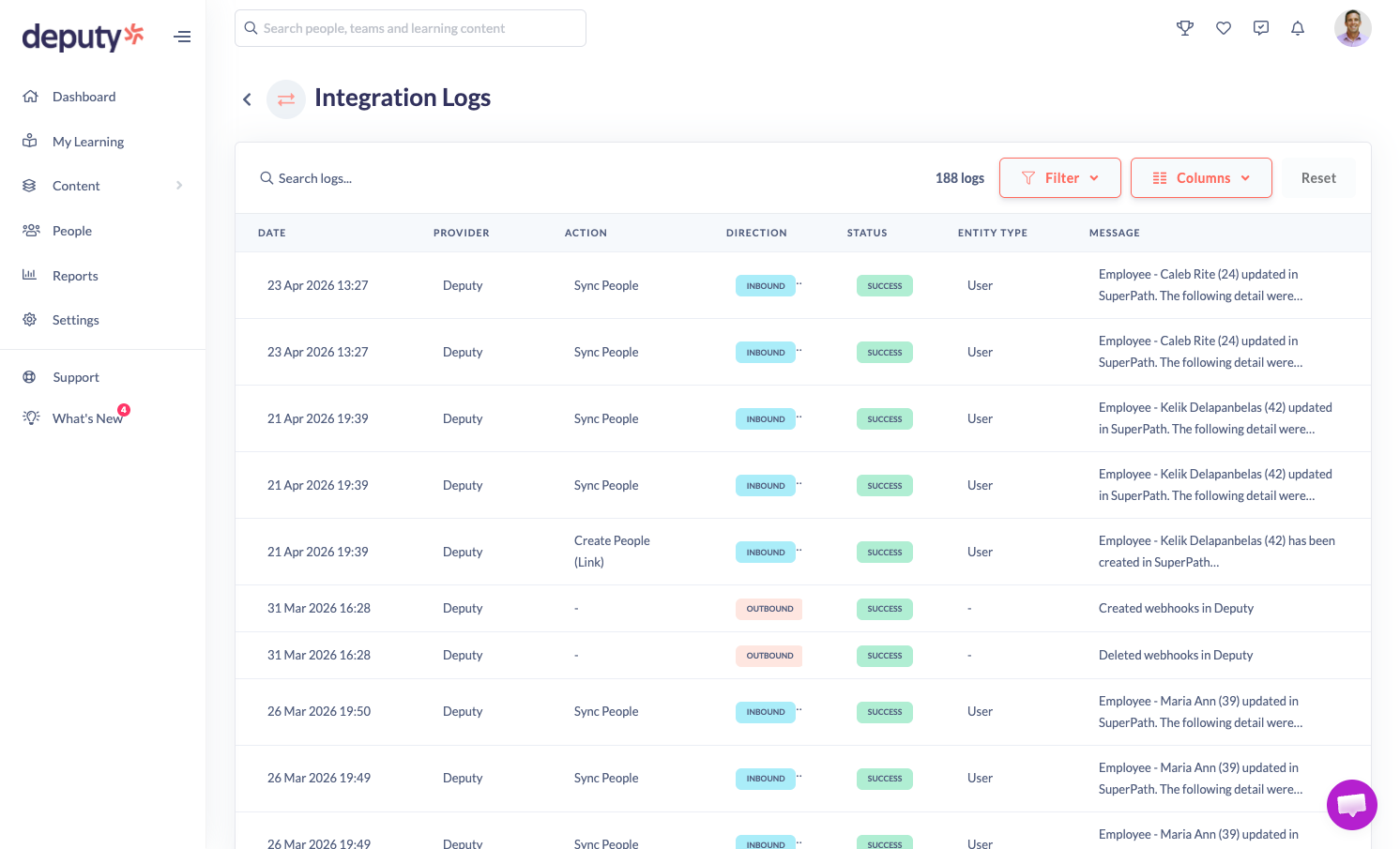
We’ve just rolled out a small but mighty feature that gives you something many teams have been asking for - full visibility into your integrations.
See exactly what’s happening behind the scenes
When you connect integrations like Deputy, HiBob, or BambooHR, there’s a constant flow of data moving between systems — employee updates, pathway syncs, content changes, and more.
Until now, that activity has been happening quietly in the background.
With Integration Logs, you can now:
- Track every interaction between SuperPath and your integration provider
- See inbound and outbound data flows in real time
- Quickly identify successes and failures
- Understand exactly what data was sent, received, or attempted
🔎 Search and filter with ease
Need to investigate an issue or check a specific update?
You can:
- Search logs by user (e.g. “John”)
- Filter by direction (inbound vs outbound)
- Filter by action type (user sync, pathway updates, content, etc.)
This makes it easy to pinpoint exactly what happened — and why.
⚠️ Spot and resolve issues faster
If something doesn’t sync correctly, you’ll now see:
- Clear error messages
- The exact action that failed
- Context around what triggered it
No more guesswork — just actionable insight.
📍 Where to find it
You’ll find Integration Logs here:
Settings → Integrations → Integration Logs
Integration Logs give your admins:
- Confidence that integrations are working as expected
- Transparency into automated processes
- Control when troubleshooting issues
- Speed when resolving sync problems
It’s a simple addition that makes managing integrations significantly easier.