Customised Tables for Faster Insights
We’ve just rolled out a new way to work with your data in SuperPath: customised tables. This update makes it easier than ever to focus on what matters most by letting you filter tables by specific fields and control which columns are displayed.
🔍 What’s new
• Filter by fields – Quickly narrow down your data by applying filters such as user type, instructor, or status.
• Choose your columns – Display only the fields you need, hiding the rest for a cleaner view.
• Reset anytime – Made too many changes? Instantly reset filters and columns with one click.
📊 Where you’ll find it
Customised tables are now available across most table views in SuperPath, including:
• People
• Pathways
• Events
• Forms
• Content
• Reports
• …and more
💡 Why it’s useful
This feature gives you:
• Flexibility – See only the data that’s relevant to you.
• Speed – No more scrolling through endless columns or exporting unnecessarily.
• Clarity – Create focused table views for cleaner insights and faster decision-making.
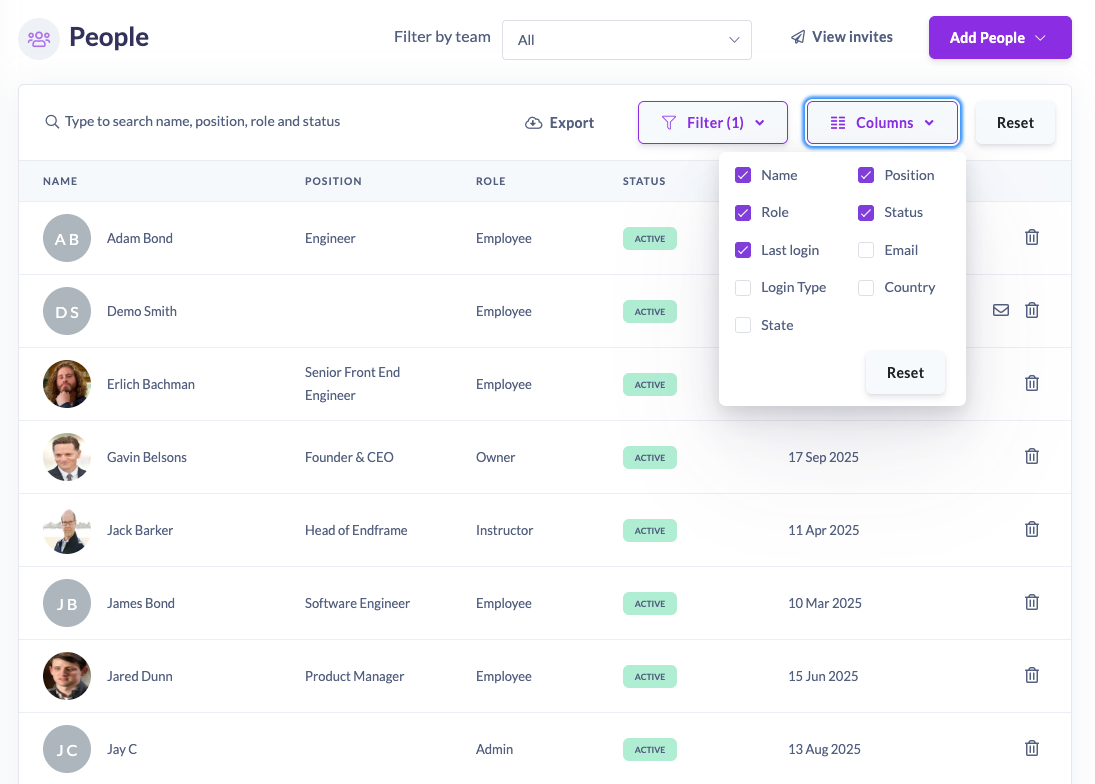
This update is available to all users today. Start customising your tables and make SuperPath work your way.