CPD just got more flexible: categories and manual entries
If you work in a regulated industry, CPD isn't a nice to have. It's the thing you need to prove at audit time, and it rarely fits neatly into one bucket. Accounting, finance, health and legal bodies all want points broken down by type, and plenty of the learning that counts happens outside your platform entirely.
This upgrade addresses both. You can now categorise CPD to match your industry's framework and report on it properly, and your people can log the CPD they've earned elsewhere without waiting on an admin to do it for them.
Categorise CPD to match your professional body
Head to Settings, then Features, and you'll find the CPD block with categories ready to set up. Give each one a display label and a description, and you're done.
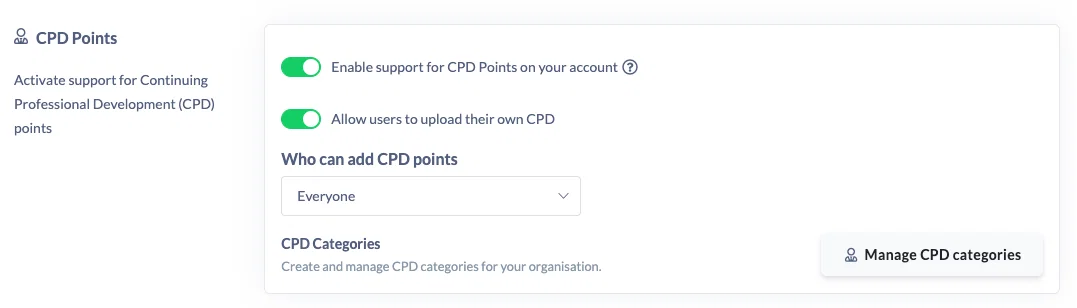
If you follow the CPA Australia framework, for example, you might create Conferences and Seminars, Discussions, In-House Learning, Self-Directed and Structured Courses. Whatever your accrediting body uses, you can mirror it.
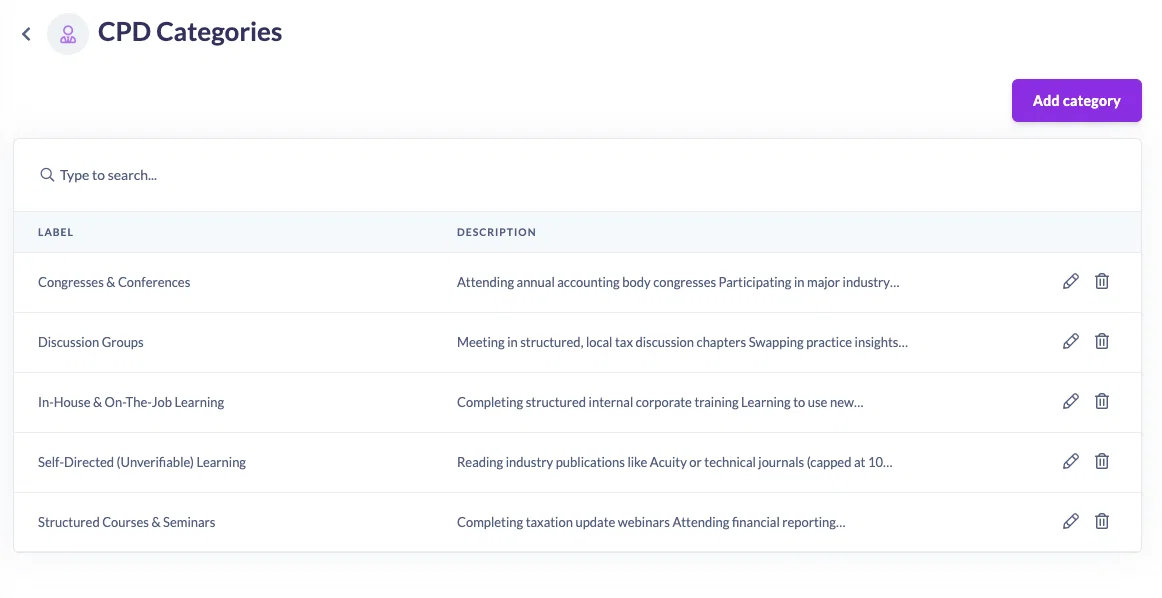
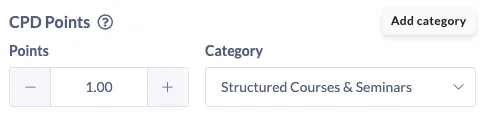
Once your categories exist, you can attach one to any piece of learning that carries CPD points. Courses, events and pathways all support it, so an internal AML session can sit under In-House Learning while a formal compliance course sits under Structured Courses. When someone completes it, the points land in the right category automatically.
Reporting that actually reflects your requirements
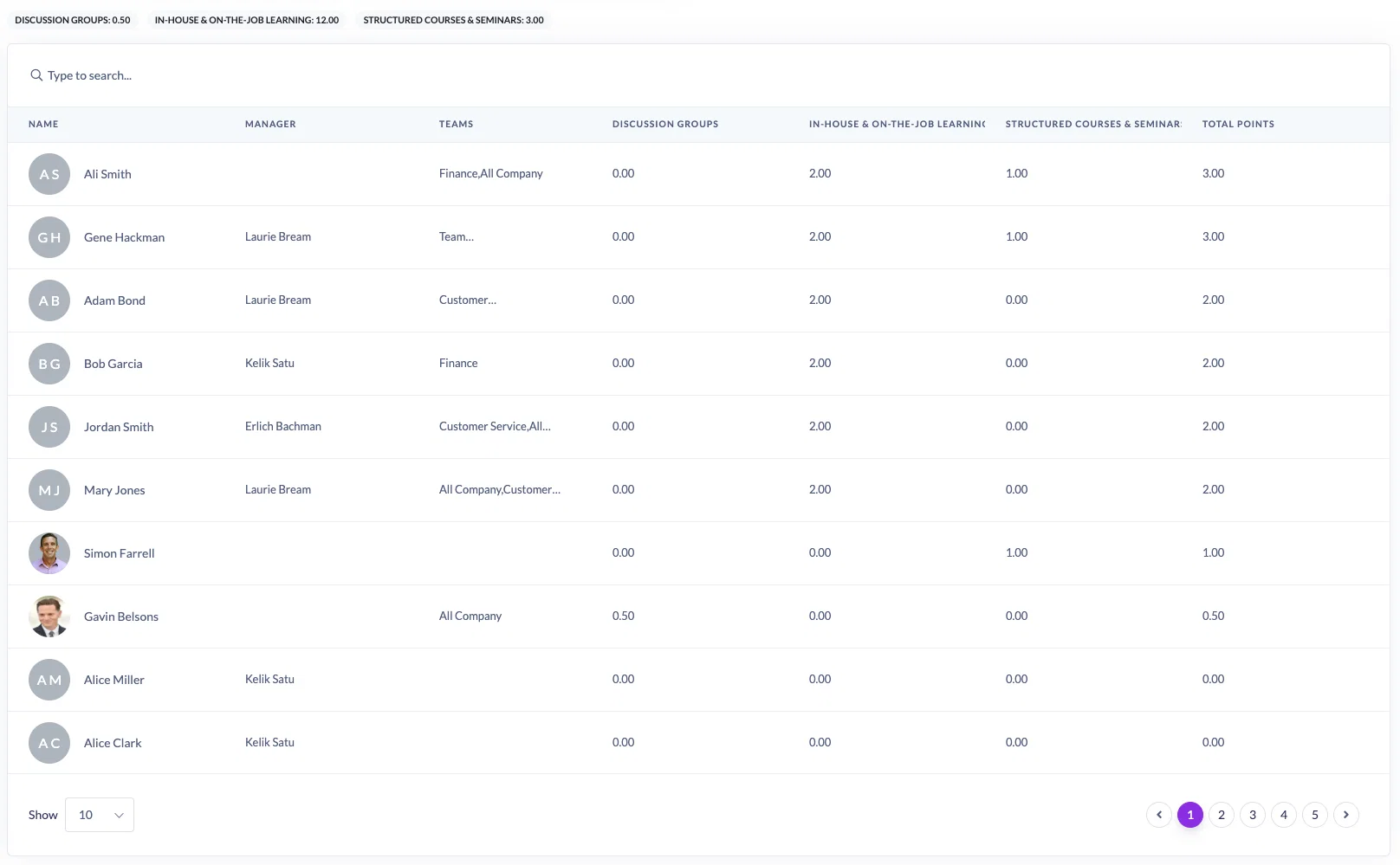
Open the CPD report and you'll see a category filter. Pick one to answer a specific question, like who has completed Structured Courses this month.
Leave it set to all categories and generate the report, and every category appears as its own column across the top. In one view you can see exactly how each person's points are distributed, which is the format most professional bodies want when someone needs to demonstrate a balanced spread. Save the report, adjust it or export it, just like everything else in SuperPath.
Let people log the CPD they earn elsewhere
Not all professional development happens in your platform. Industry conferences, CPA chapter meetings, external workshops and reading all count, and chasing admins to record them has always been the bottleneck.
Turn on manual CPD and the Add CPD button appears on a person's profile. From there it takes a moment: name the activity, choose a category, add the points, note the provider and upload evidence such as a certificate or attendance confirmation.
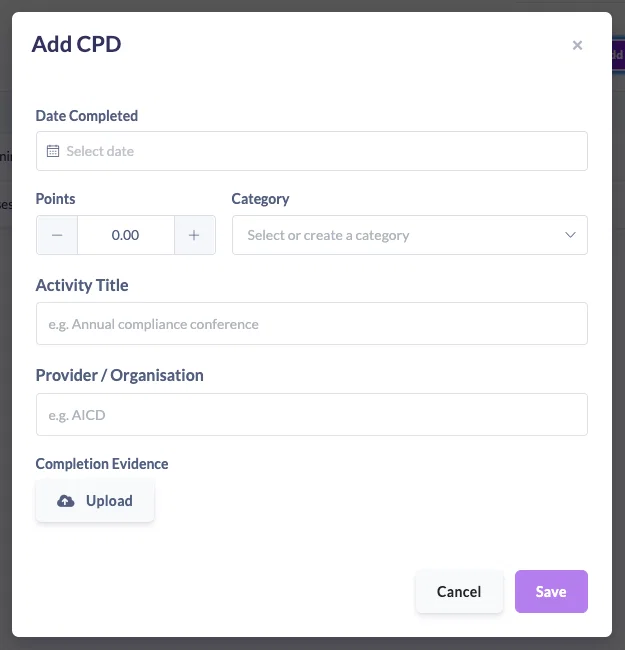
Admins and managers can also add entries directly to someone else's record from the People area, and remove them if something needs correcting. Handy when evidence comes to you by email rather than through the learner.
You decide who can add CPD
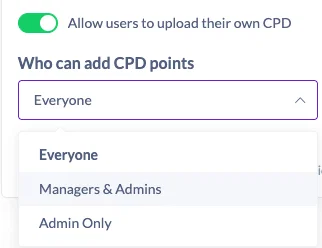
Manual CPD comes with permission controls, so you can open it up as far as suits your governance:
- Everyone, where learners log their own CPD and take ownership of their record
- Managers and admins, where entries go through someone with oversight of the team
- Admins only, for the tightest control over what gets recorded
See the full picture for any individual
Open someone's record and their CPD view now shows the complete story. Every piece of learning they've completed, the category each item sits under, filtering by category, and a clear view of how many points they've added themselves versus what they've earned in the platform. Download the transcript whenever you need to hand over evidence.
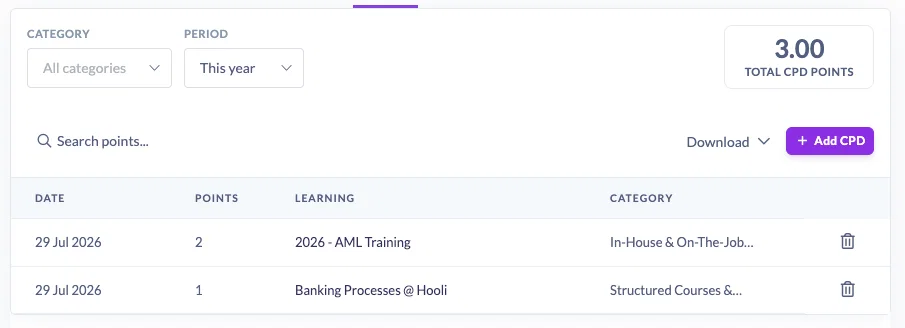
That last part matters at audit time. Rather than assembling a record from several places, one screen gives you a defensible summary of an individual's professional development.
Give it a go
If CPD is switched on for your account, jump into Settings, then Features, and set up your categories. Ten minutes of setup now will save you a lot of reconstruction work when your next reporting period rolls around.