Bulk Import Knowledge (AI-Powered!)
Today we’re thrilled to announce one of our most highly requested features, Bulk Import Knowledge. This release marks the third milestone in our AI Enhancements Roadmap and is a huge leap forward for teams wanting to centralise and modernise their internal knowledge.
SuperPath now allows you to bulk upload knowledge articles directly from your existing documents, including:
• PDFs
• Word documents (.doc / .docx)
• Up to 10 files at a time (approx. 10 pages each)
Whether you’re migrating from an existing system, consolidating SOPs, or cleaning up a backlog of policies, this feature will save hours of manual work.
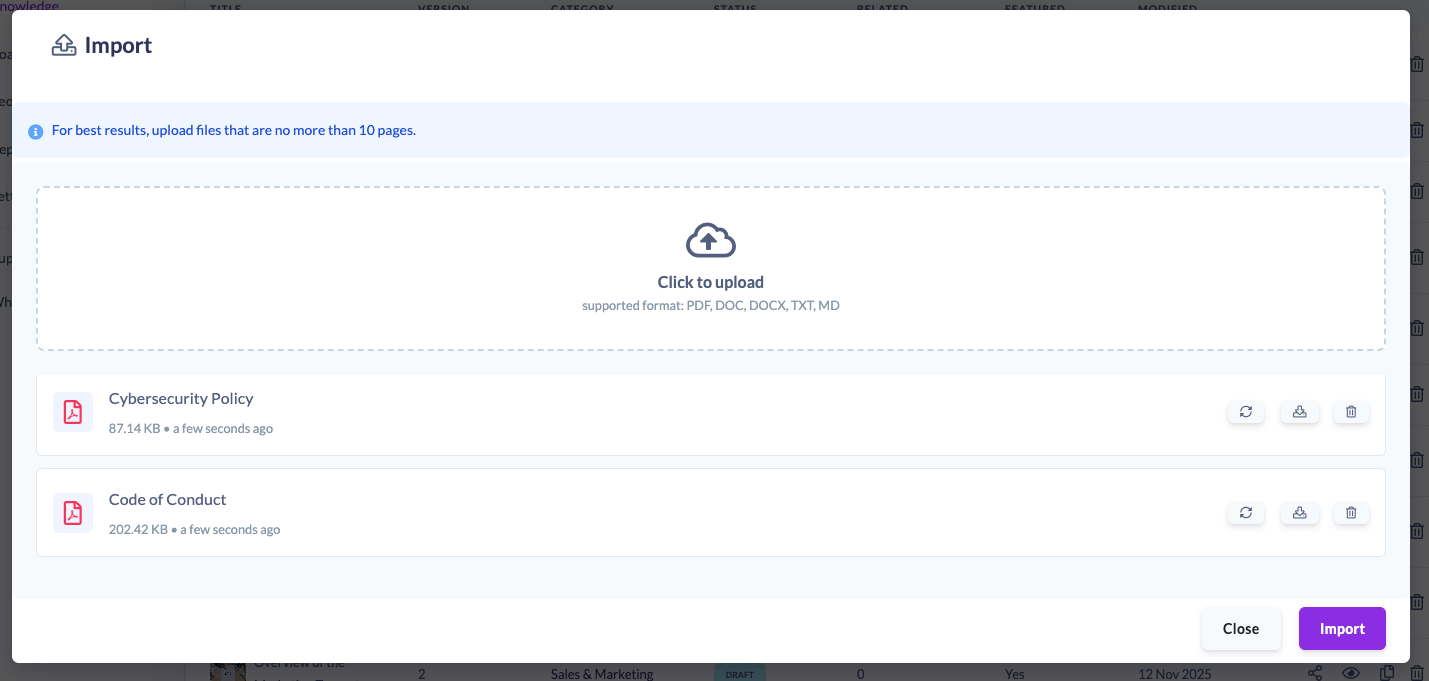
AI-Formatted Articles Automatically Created
SuperPath reads your PDFs and Word documents, copies the content verbatim, and uses AI to format it into a clean, readable article.
Your content is never summarised or altered.
Imported articles automatically appear at the top of your Knowledge list, ready for further formatting or immediate use.
Why This Matters
Teams told us they needed a fast way to bring existing content into SuperPath, no retyping, no copy/paste mess, no repetitive formatting.
Bulk Import solves this by:
• Reducing migration work from hours to minutes
• Preserving formatting and structure, including tables
• Providing AI-generated readability enhancements
• Allowing teams to consolidate SOPs, policies and internal documents quickly
• Making it easier to build pathways using your existing knowledge base
This is a major step forward in our mission to centralise your organisational knowledge and make it instantly actionable.
📥 How to Try It
Go to Manage Articles → Create Article → Import
Upload your documents, click Import, and SuperPath will handle the rest.
If you have any questions or feedback, we’d love to hear from you.