Admin Mark As Complete
Mark as Complete just got a serious upgrade
Managing completions on behalf of your learners has always been possible in SuperPath, but now admins have far more control over how and when those completions are recorded.
Whether you're reconciling offline training, backdating a pathway, or capturing a score for a course completed elsewhere, the updated Mark as Complete gives you the precision to get it right.
Set the completion date
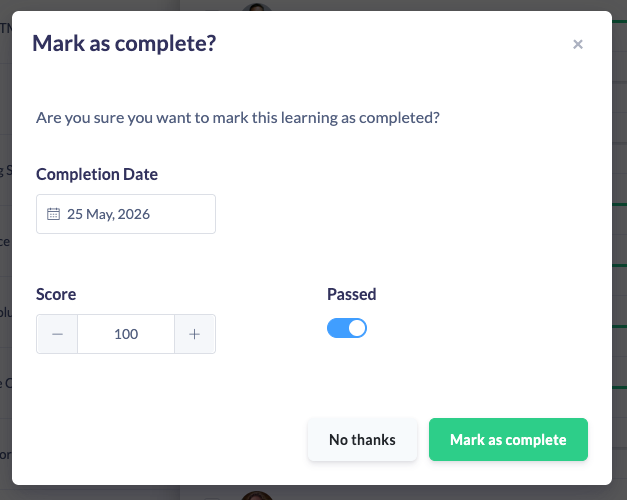
When marking a pathway or learning as complete through the Quick View Report, you can now select a specific completion date rather than defaulting to today. This is particularly useful when learners have completed training outside the platform, or when you're catching up records from a previous period.
Mark individual steps within a pathway
You can now drill into a pathway and mark a specific course or step as complete, without marking the whole pathway. Open the learner's pathway view and mark individual items as needed, giving you granular control over progress records.
Set a score and passmark
When marking a course complete, you can now enter the learner's score and passmark alongside the completion. This means external training results can be recorded accurately and reflected in reporting, no more workarounds or approximations.
Works across your whole library
These enhancements apply consistently across content, pathways, forms, and events whether you're working from the Quick View Report on a learning list or from the individual content view inside Managed Library.
This one's for every admin who's had to chase a workaround to record a completion properly.
Give it a try.