A fresh look for images in SuperPath
We’ve just rolled out one of our most impactful visual upgrades yet, a complete overhaul of how images work across SuperPath.
This has been a long time coming! Previously, inconsistent image ratios made it difficult to create content that looked polished and cohesive. Now, we’ve introduced a standardised (but flexible) system that makes everything feel cleaner, more predictable, and far easier to design.
📐 Purpose-built image ratios
Images are now optimised based on where they’re used:
• Content library covers → 16:9
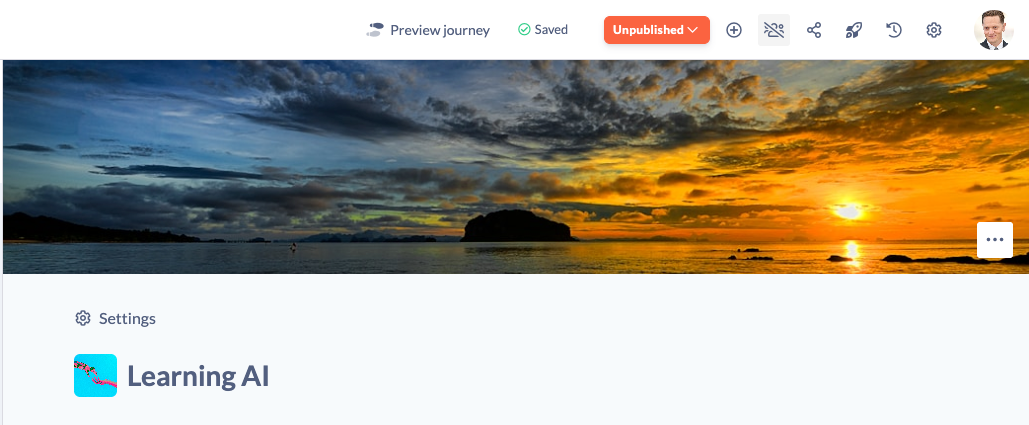
• Section covers → 24:5 (wide format)
This means every image is designed for its specific context, no more forcing one size to fit everything.
The result:
• Better composition
• More professional layouts
• Less guesswork when creating content

📱 Images that adapt to your screen
One of the biggest improvements: images are no longer locked to fixed heights. They now expand and scale dynamically with the browser.
Why this matters:
• Your images always display as intended
• Important content stays visible
• A much better experience across devices and screen sizes
👀 Live preview when selecting images
When choosing images from Unsplash or your images library, you’ll now see them in the correct ratio before saving.
You can also:
• Adjust image positioning (top, centre, bottom)
• Instantly preview how it will appear
No more trial and error, what you see is what you get.
🧩 Thumbnails for better browsing
We’ve introduced dedicated thumbnails for content shown in lists and pathways. Well technically this was released a few months back, but it's worth mentioning again!
• Thumbnail → Used in cards and lists
• Cover → Used across the main experience
This gives you more control over how your content is presented at every level.
🌐 Consistency across the platform
This upgrade applies everywhere images appear:
• Library content
• Pathways
• Sections
• Text steps
• Knowledge articles
• Events
Everything now follows a clear, consistent system.
📖 Updated image guidelines
We’ve also updated our image sizing guide with the latest ratios and recommendations to help you get the most out of this upgrade.